Part 1: Uninstall the legacy version of the app, cloud project, and script.
Google Admin Console
-
Login to https://admin.google.com/
-
Click Apps on the left sidebar.
-
Click Google Workspace Marketplace apps.
-
Click Apps List.
-
Click CyberNut Gmail Add on.
-
Click Uninstall App.
-
Click Uninstall
Google Cloud Console
-
Go to https://console.cloud.google.com/cloud-resource-manager (It must be in the account that originally created the project.)
-
Click the three dots below the Actions section for your CyberNut Addon project. (or CyberNut Gmail Addon)
Caution: Do not delete the other Cybernut project.
-
Click Delete.
-
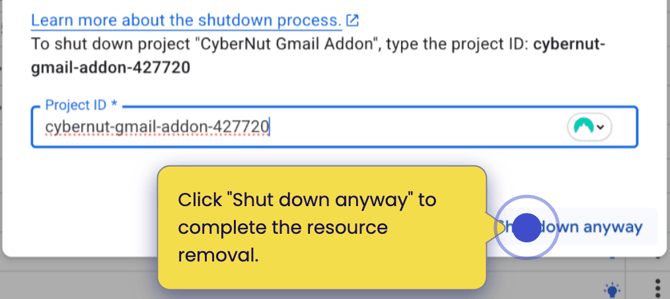
Copy and paste the Project ID in the box and click Shut down anyway.
Google Script
-
Go to https://script.google.com/home. (It must be in the account that previously setup the script.)
-
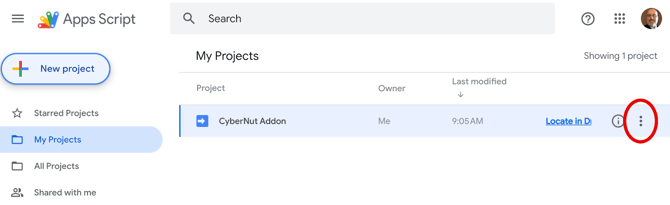
Click the three dots on the row for the CyberNut Addon.
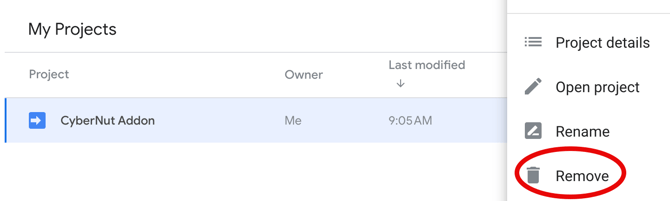
- Click Remove and then Remove..
Part 2: Install the CyberNut Reporting Tool for Gmail (v 2.4.4)
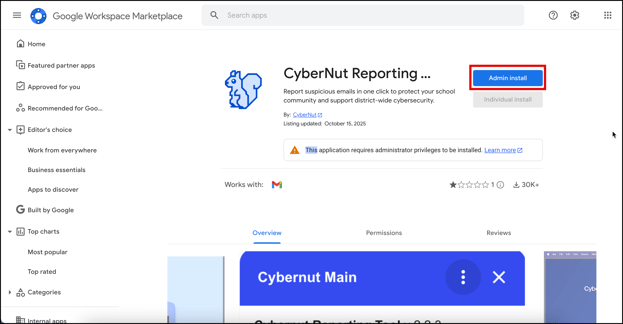
- Go to https://workspace.google.com/marketplace/app/cybernut_reporting_tool/809178081701
- Click Admin install. (You must be logged in to super admin account.)
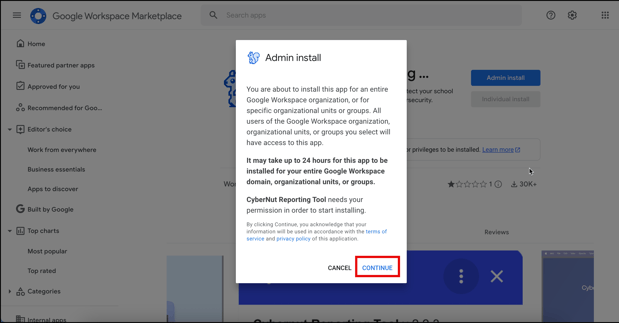
- Click Continue.
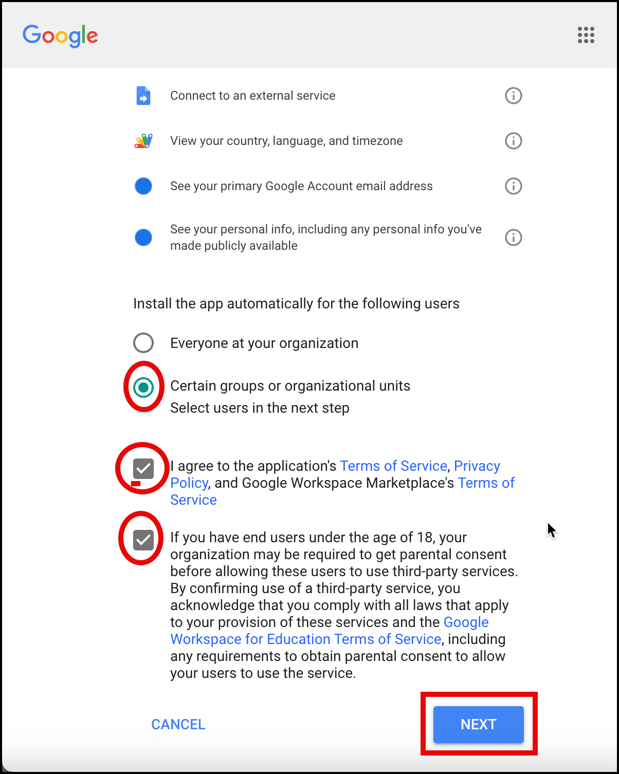
- Scroll down and select Certain groups or organization units, check the boxes and click Next.
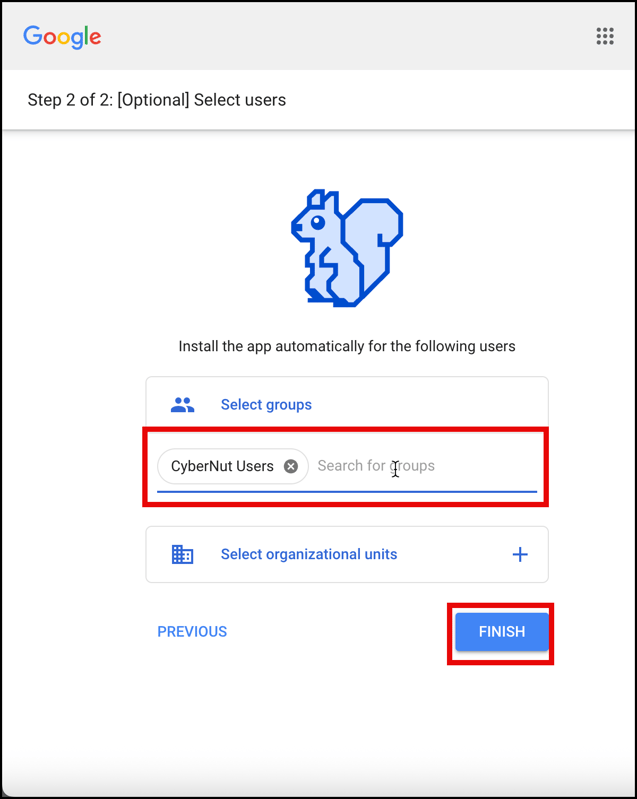
- Select the Groups and/or OUs you want to receive the add on and click Finish.