Skip to content
English
  • There are no suggestions because the search field is empty.

Product Updates: July 13, 2026 Release

We are excited to share the updates below that will be available for Back to School.


What's New in This Release

The updates are grouped below to help you quickly understand the enhancements across different areas of the product.

Note: If you don't see these updates yet, don't worry! We are rolling them out gradually over the coming weeks.

Feature Area

Enhancement

Microtraining

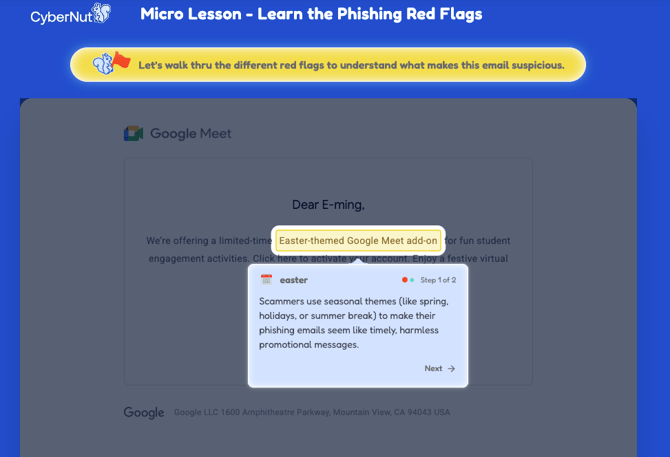
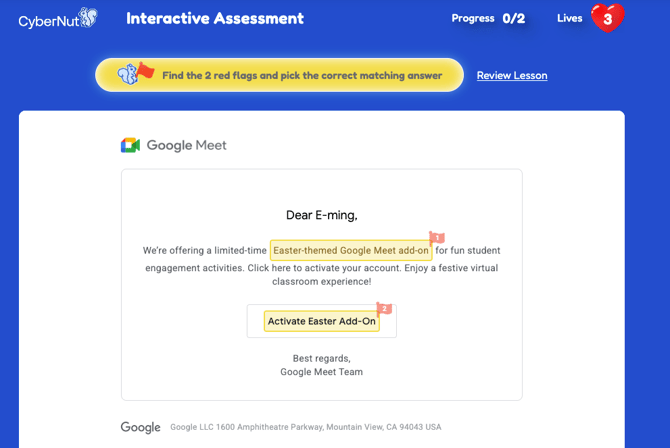
We've redesigned the microtraining experience built around interactive red flag detection that staff actually finish.
  • Modernized design to showcase the red flags for each simulation email
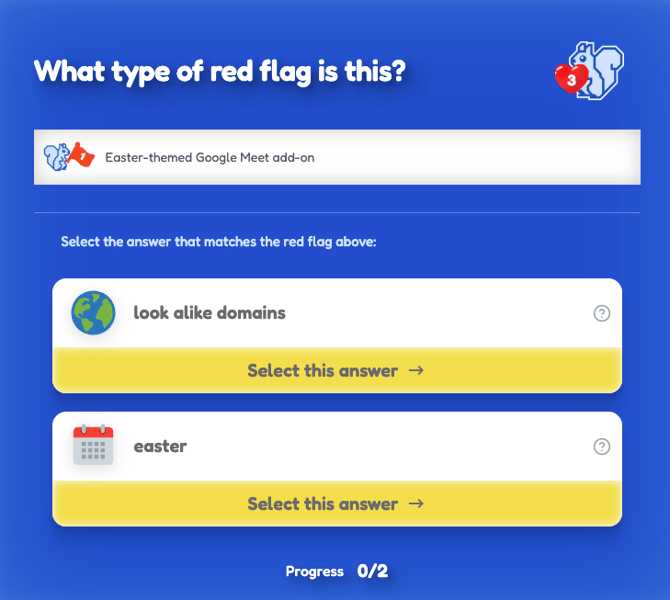
  • New quiz format to help verify learning and showcase your cybersecurity knowledge
  • Same acorn rewarding system to drive excitement and competition

New Microtraining

New Interactive Assessment

New Quiz Format

Watch the walkthroughs:

Active Threat Manager

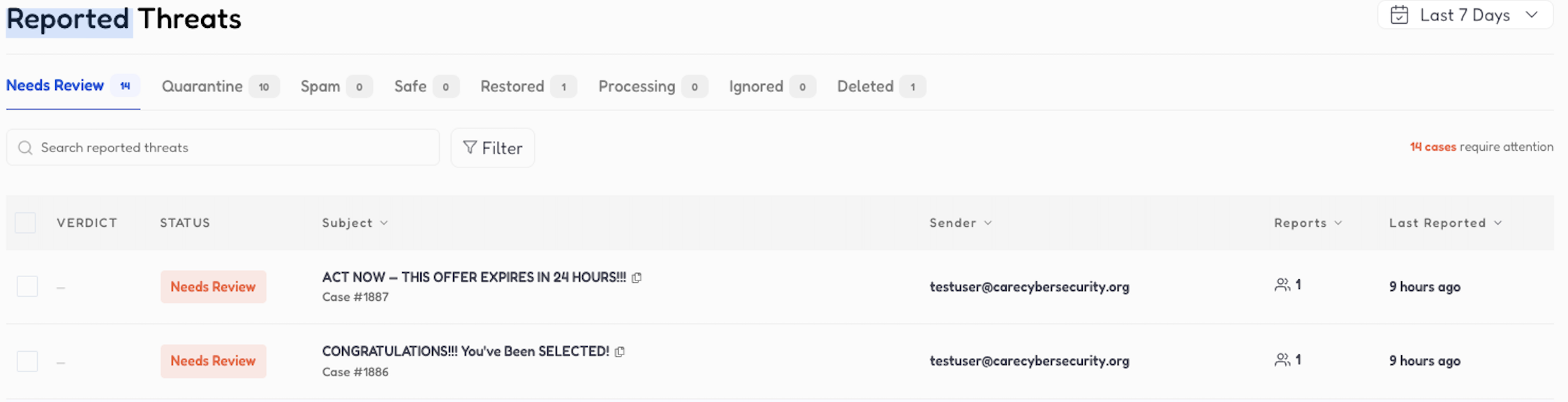
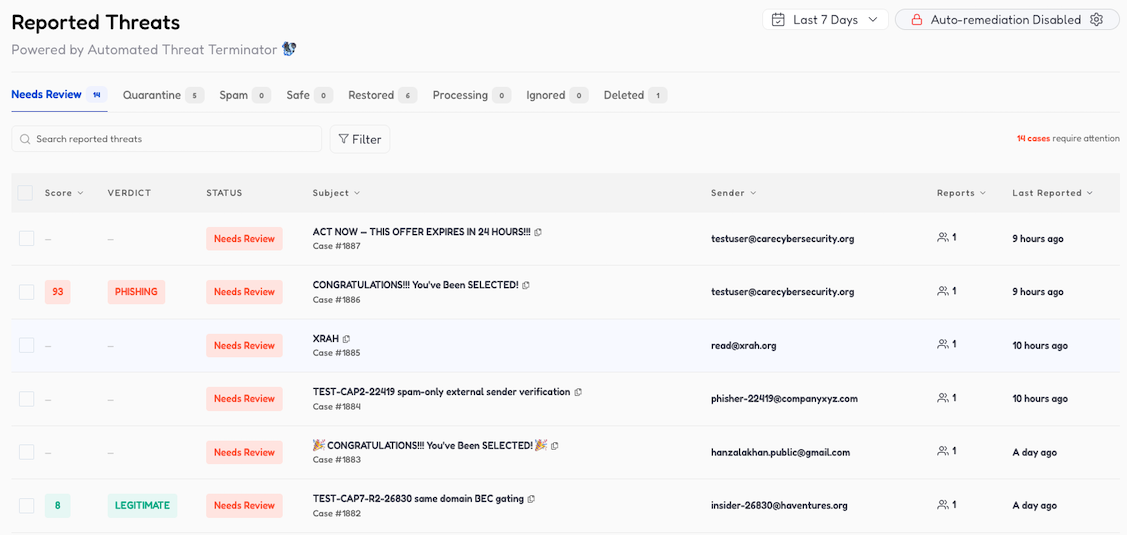
A redesigned investigation experience lets your team judge reported threats by case, a sender and subject cluster, instead of one domain at a time. Paired with the Automated Threat Terminator (ATT), reported emails get automatically sorted into threat, spam, or safe verdicts, so your team only spends time on what matters.

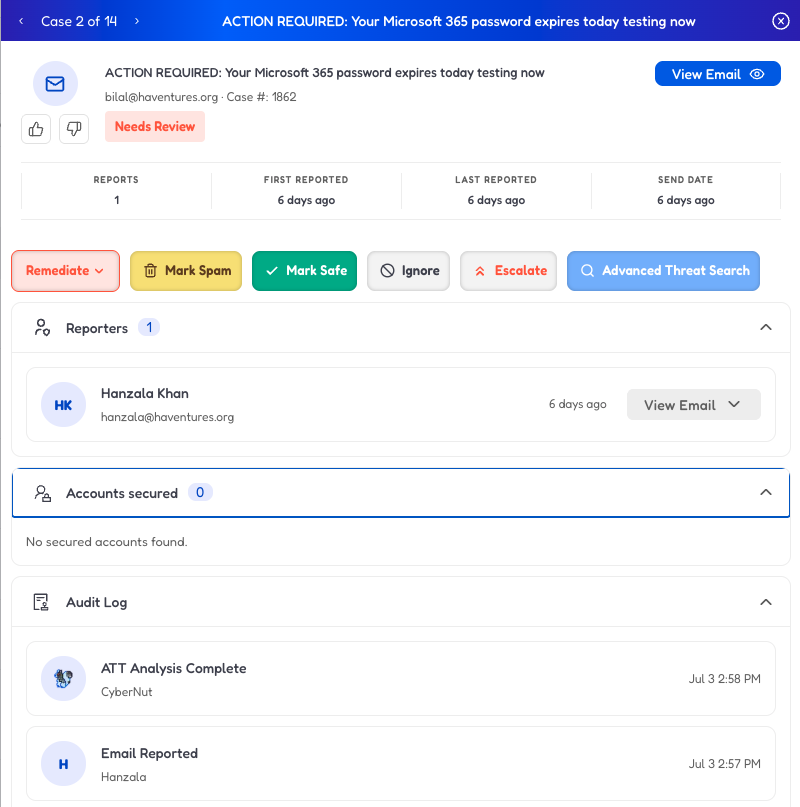
  • Unified Case-Based Dashboard: Redesigned Reported Threats experience groups emails by sender and subject, allowing admins to judge clusters of look-alike emails at once rather than individual messages.
  • Advanced Threat Search: Admins can now launch a domain-wide sweep directly from any reported threat case, pre-populated with sender and subject data to quickly identify related messages.
  • Action Audit Log: Maintains a chronological, read-only record of all actions taken on a case, providing full transparency on whether interventions were performed by an admin or CyberNut.

Screenshot 2026-07-13 at 3.31.53 PM

reported threats case

  • Risk-Based Prioritization (with ATT Add-on): Each reported threat case is scored from 0 to 100 and given a verdict: Phishing, Spam, or Legitimate. Admins can sort the case list by any column including date to work through the list of cases.
  • Automated Remediation (with ATT Add-on): Introduces a policy engine that allows admins to configure auto-quarantine for phishing and automatic spam management, shifting the workload from manual triage to automated threat resolution.
  • ATT Recommended Actions (with ATT Add-on): Get advice ranging from immediate steps to take, to awareness measures, to policy updates that strengthen your defense against future attacks.

reported threats with att closeupReported threats auto remediation

Watch the walkthroughs:

Compromised Accounts

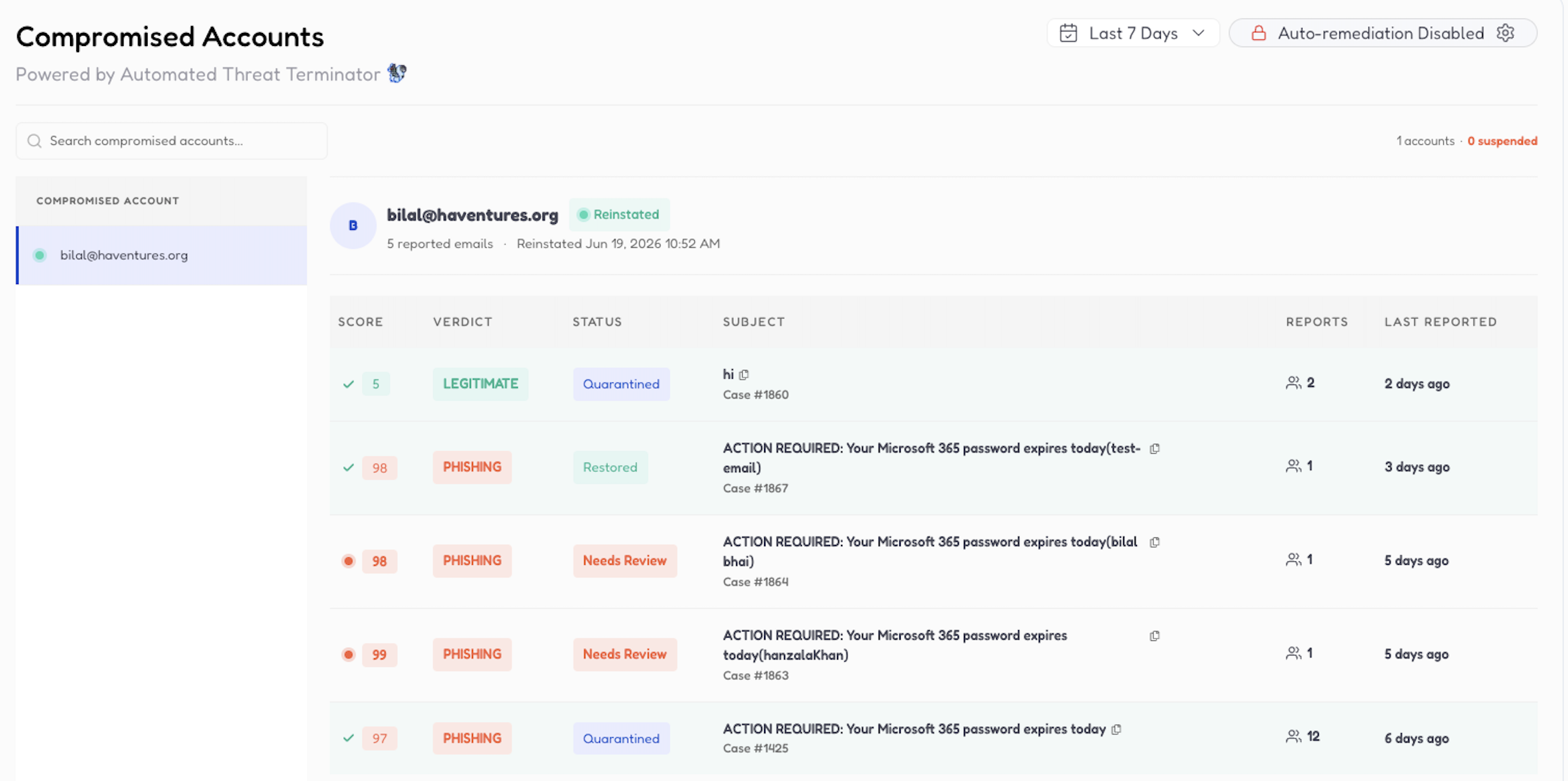
A new feature that will quickly alert you to potentially compromised accounts based on reported threats that trace back to your domain and are determined to be phishing attacks.
  • Automatically suspend user accounts as soon as our system detects a potentially compromised account to ensure the account doesn’t have an opportunity to send more phishing emails
  • Auto-quarantine reported emails when auto-suspend is turned on to quickly remove the phishing threat from the reporter's inbox.
  • Available as part of the standard license plan for partners at no additional cost

compromised account close up

Watch the walkthrough:

Spam Verdict Labeling for Reported Threats

For all standard plan partners, all reported threats that are determined to be spam by CyberNut will also be automatically labeled as Spam to help IT admins quickly determine and remediate spam and focus their attention on investigating other reported threats.

Screenshot 2026-07-10 at 9.36.58 AM

Watch the walkthrough:

Department Specific Training Campaigns

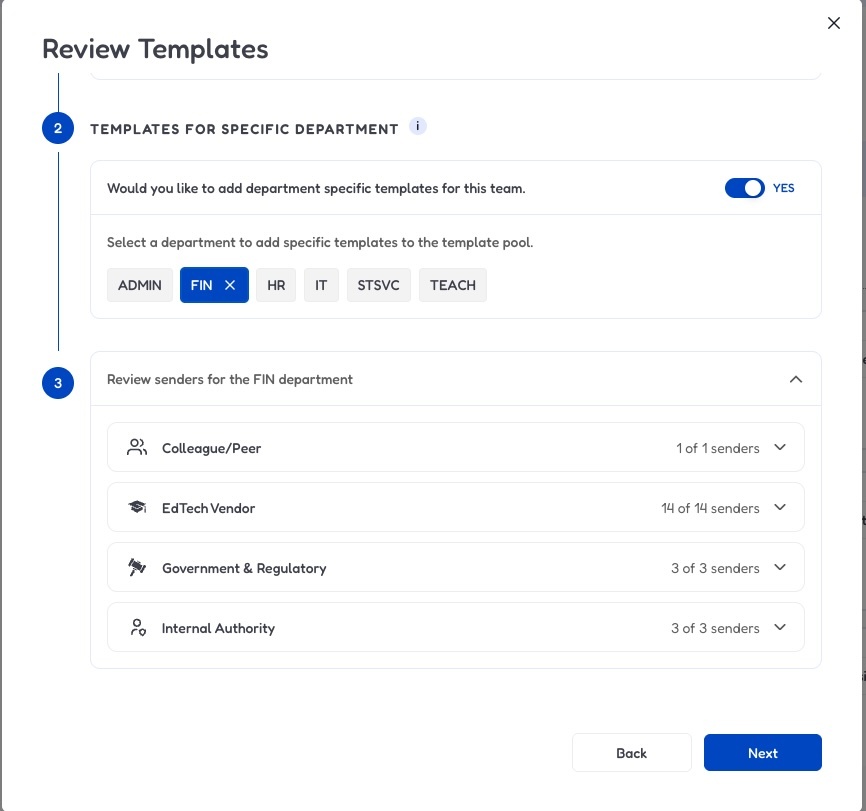
When choosing which types of senders to include or exclude for a team, you will now have an option to add specifically created phishing templates for the following departments to keep them on their toes: finance, HR, student services, teachers, IT, administrators.

department senders

Watch the walkthrough:

How to use this feature:

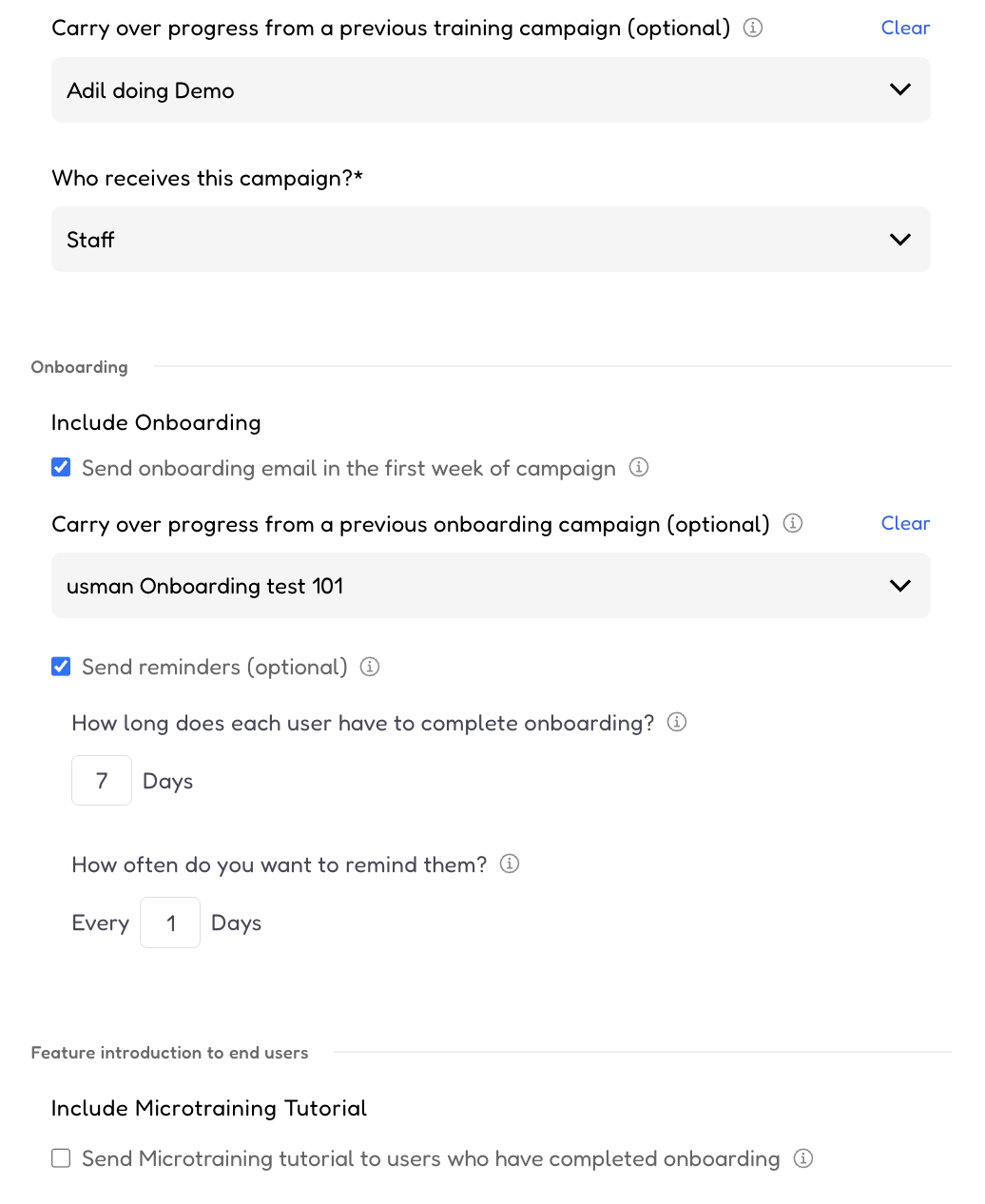
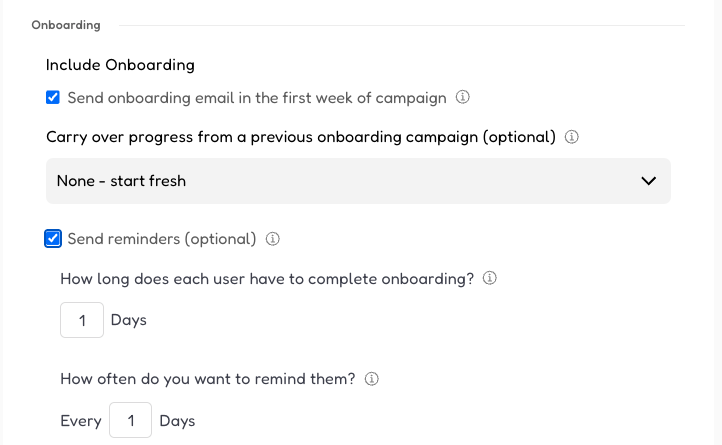
Onboarding Campaign Auto-Continuation

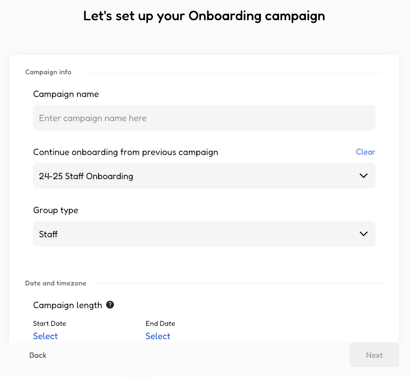
In order to help ensure all your users have gone through the CyberNut onboarding experience, you can now set up an onboarding campaign that continues from the previous school year.
  • Skip Ahead for Experienced Staff: Employees who have already completed onboarding will bypass the onboarding lessons and move directly into real phishing simulation practice. Employees with partial progress will continue where they last left off.
  • Full Support for New Hires: New employees, or those who never finished the previous onboarding, will continue to receive the complete, welcoming introductory experience.
  • Preserved Campaign Data: Data and reporting on this campaign will start where you last left off, allowing you to focus on the users who still need to complete the onboarding experience.

onboarding campaign

How to use this feature:

Credential Harvesting Simulations

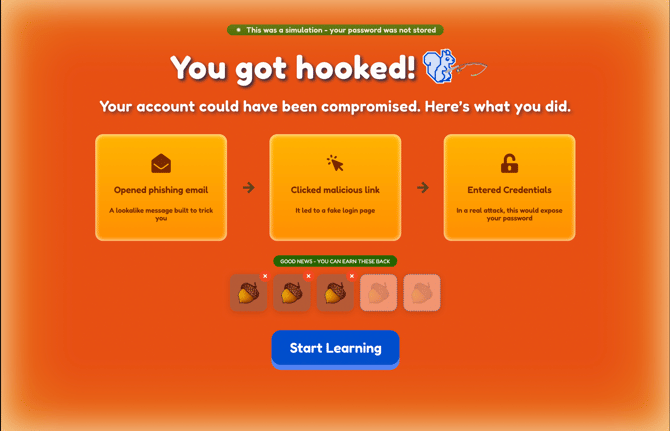
CyberNut Learning Path now extends to level 4 training going beyond click tracking to credential harvesting, the terminal stage of a real phishing attack.

WHAT’S NEW

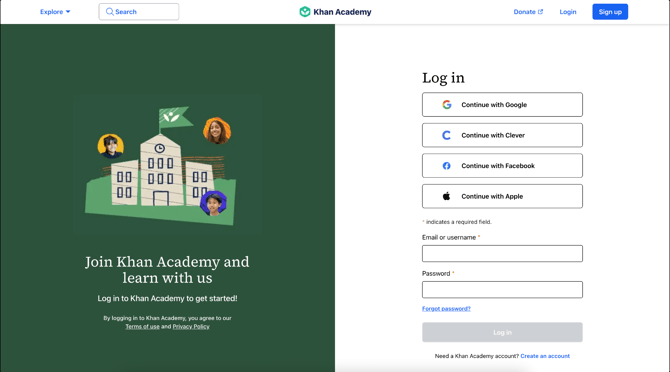
  • Email simulations with fake landing pages: Some phishing simulations now also have fake landing pages to simulate credential harvesting attacks.
  • Updated Analytics Reporting: Added reporting around which users passed or failed the credential harvesting test
  • Safe by design: CyberNut never captures or stores the credentials a user types. It logs only the page load, the declared field type, and the submission event.

Screenshot 2026-07-10 at 3.06.50 PM

Screenshot 2026-07-10 at 3.07.02 PM


Improved Chrome Extension

An optional, refreshed Chrome extension that adds a floating report widget to make it easier for your staff to quickly report suspicious emails. Available for Google Workspace customers.

Watch the walkthrough:

How to use this feature:

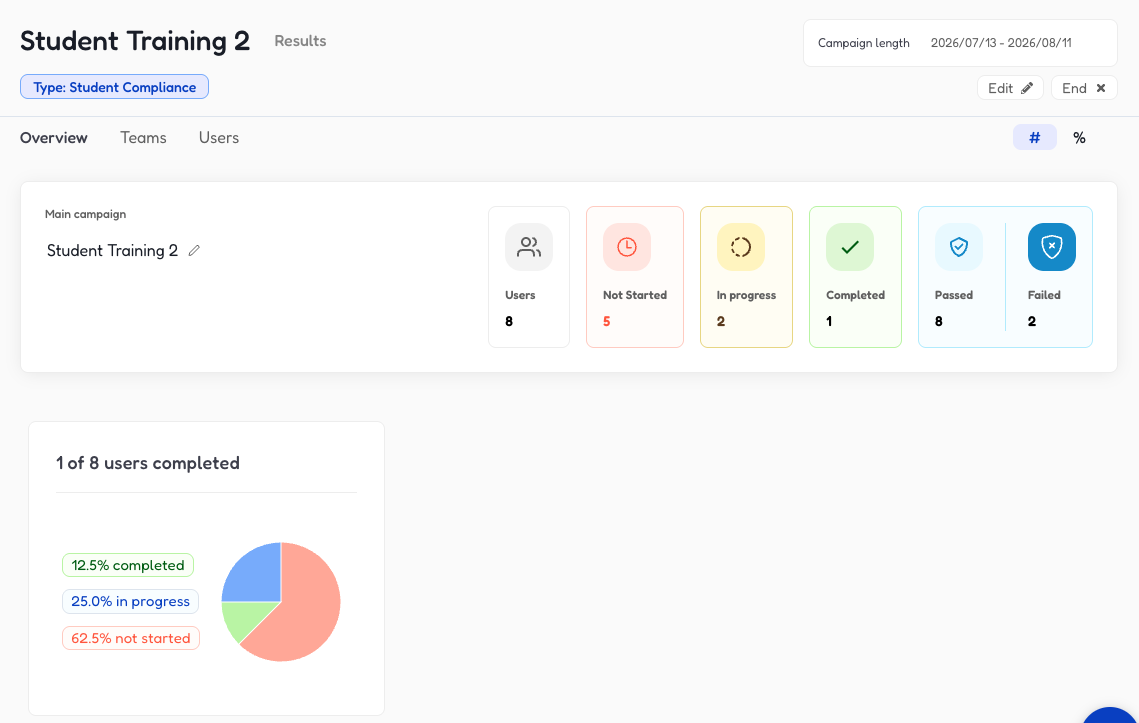
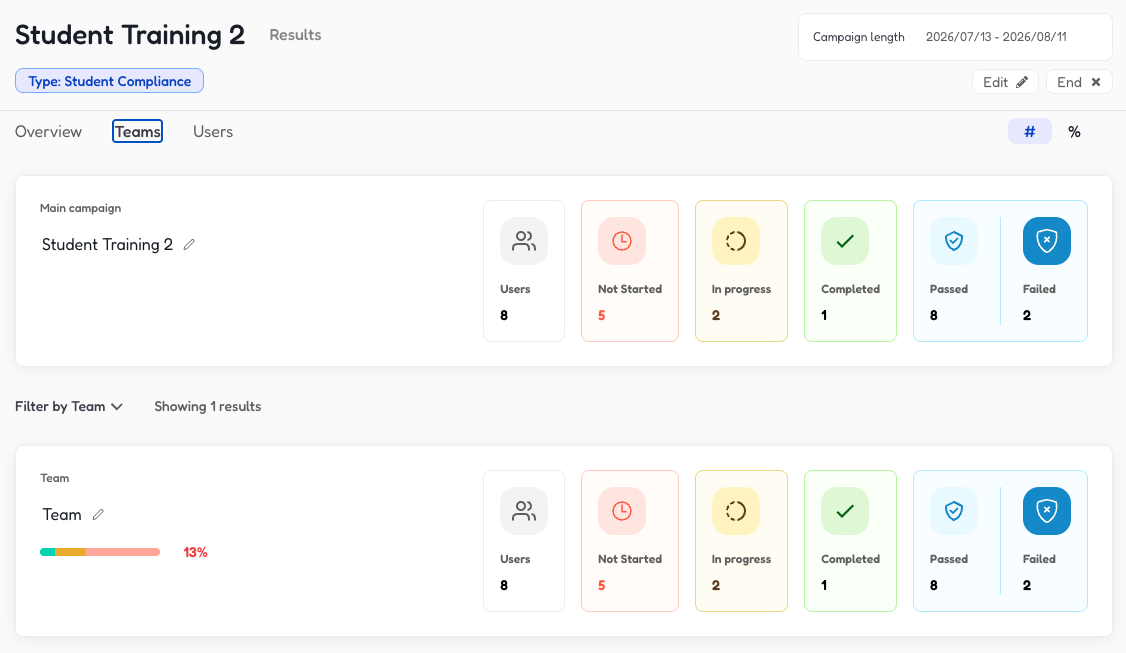
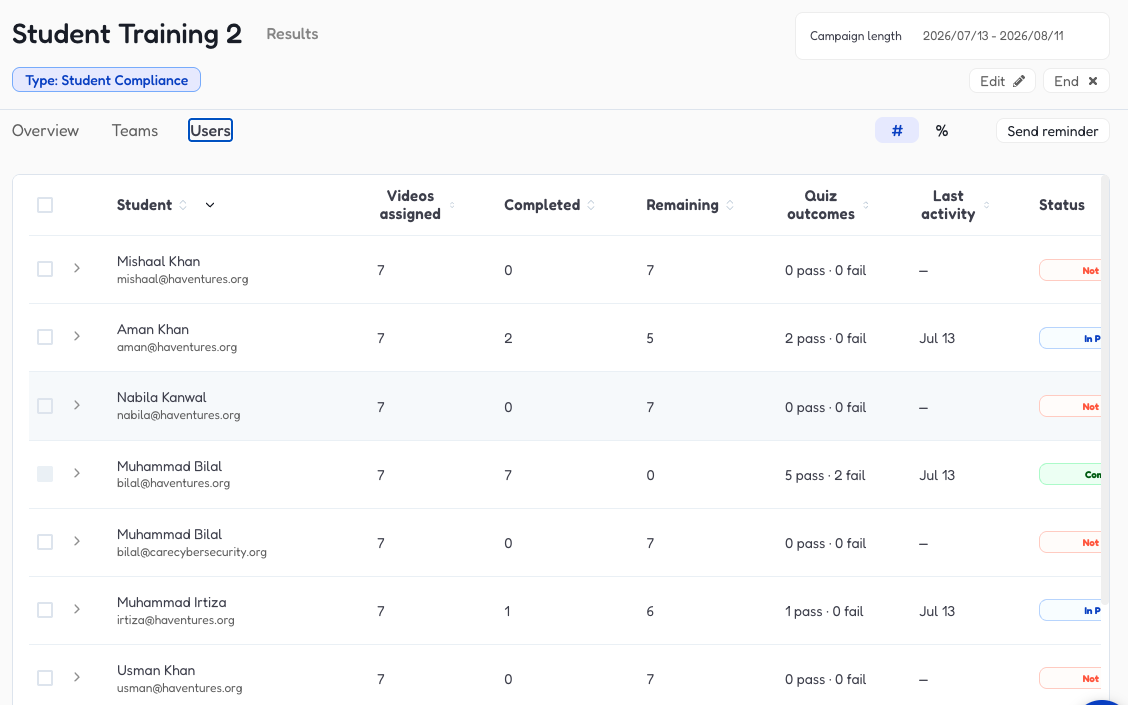
Student Campaign Analytics Update

  • More detailed reporting for student training campaigns: Drill down into student training campaign data to better understand completion progress for each student and understand how the overall campaign is performing
  • Send reminders: Admins can send email reminders to students to complete their training

    student training - overview

    Student training - teams
    Student Training - Users

Updated Onboarding experience

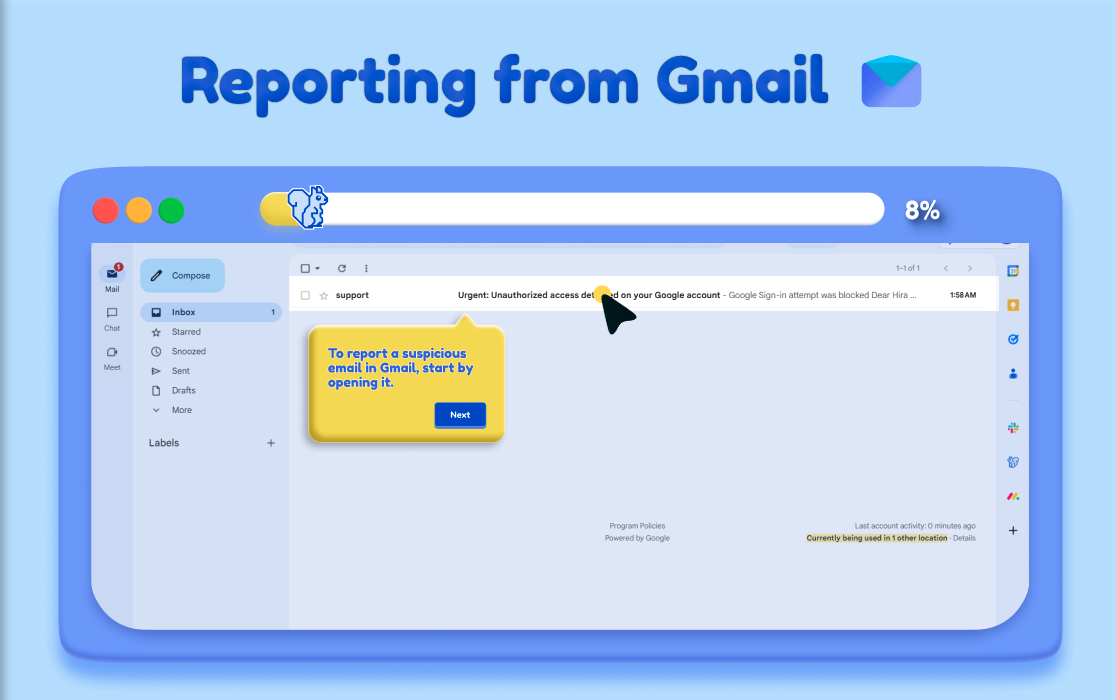
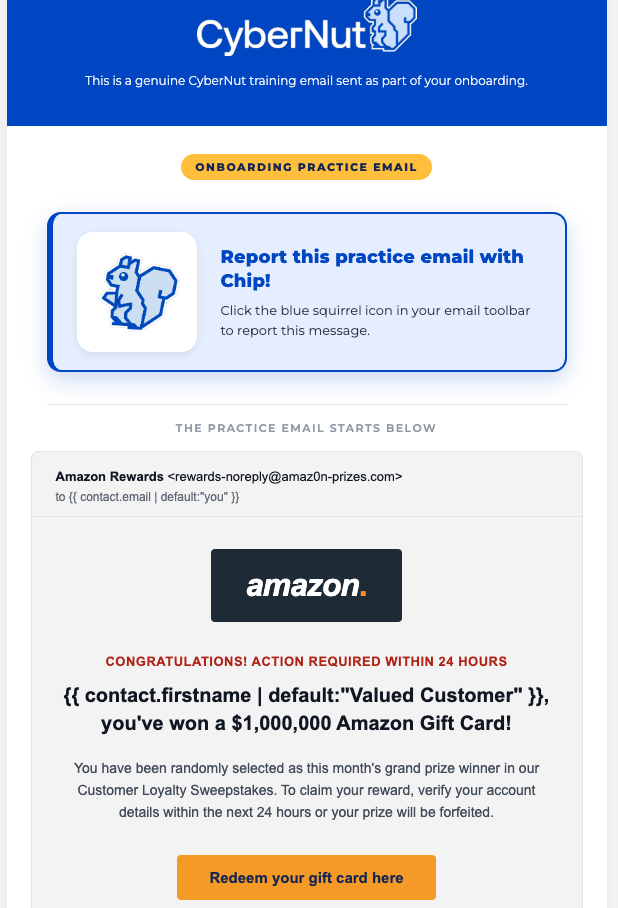
For back to school, we have refreshed the onboarding experience to ensure your users understand they need to click on Chip to report suspicious emails.

  • Visual improvements to help users get through onboarding training
    onboarding - next
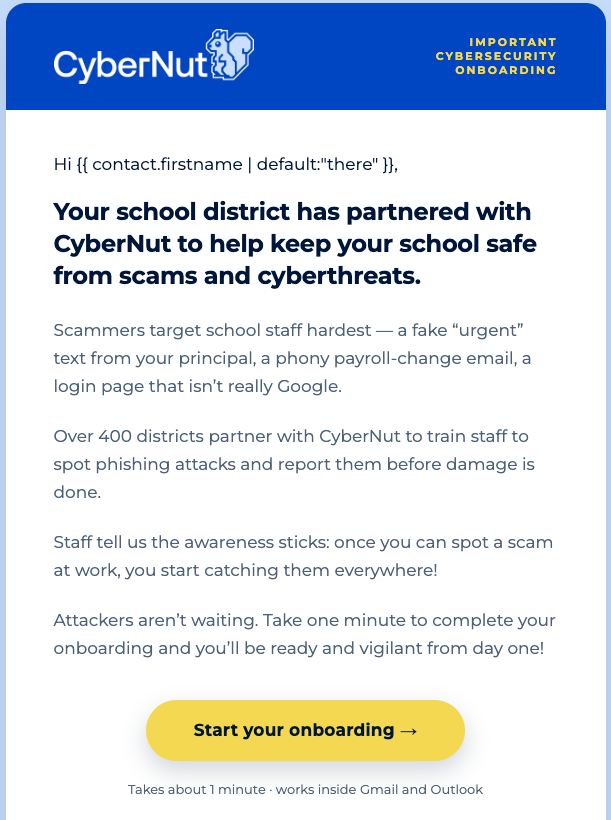
  • Refreshed onboarding email templates
    onboarding - email

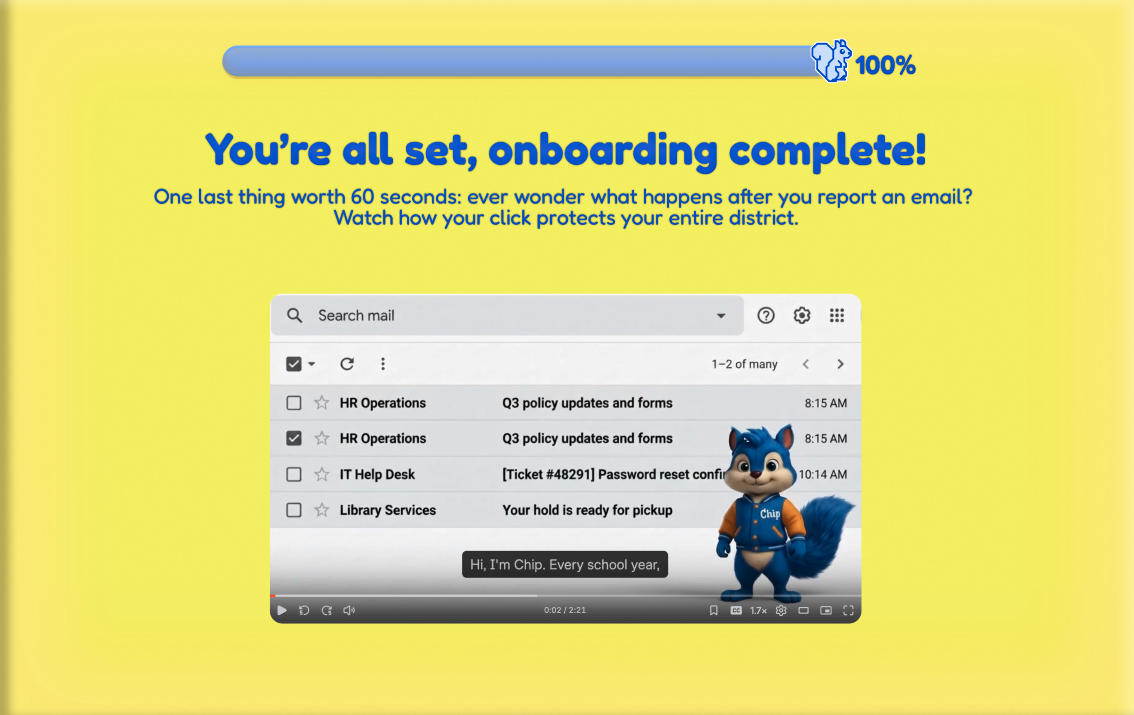
  • Update sample email to complete onboarding with intro to new Microtraining upon reporting
    onboarding - sample click email

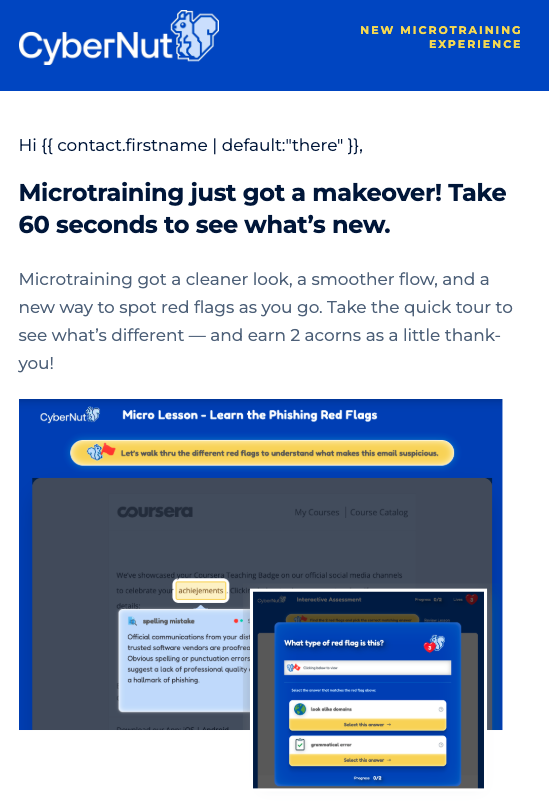
  • Send Microtraining tutorial to end users who have completed onboarding so everyone is notified of the changes - (requires continuing from previous years campaign)
    include microtraining
    microtraining tutorial email
  • New videos showing how to report on mobile
    onboarding - mobile video


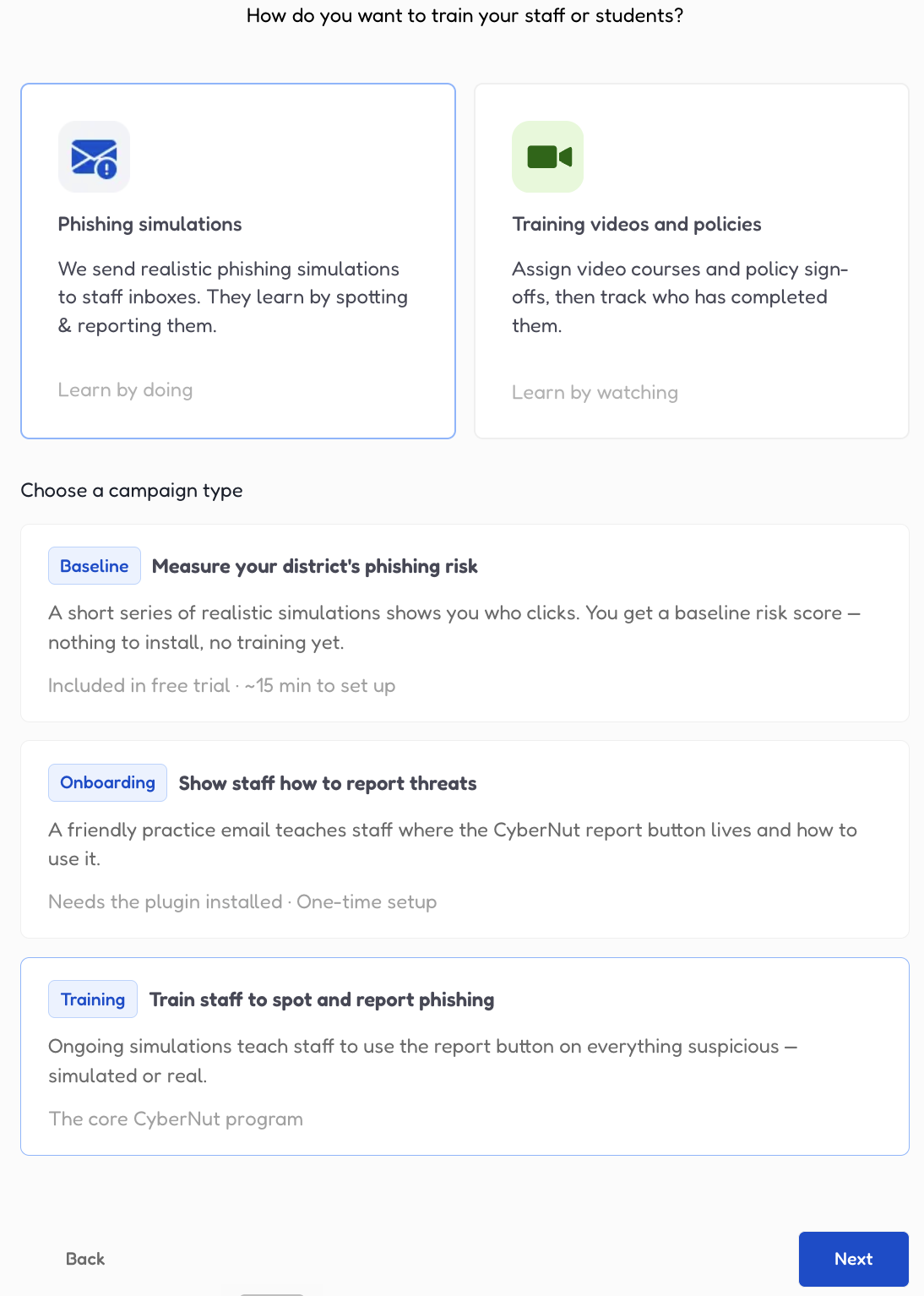
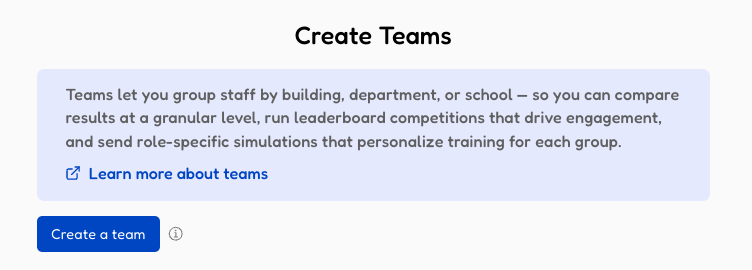
Campaign Creation Flow Updates

The instructions on going through the campaign set up process have been refreshed for clarity so it's clear how to set up each step of the campaign process.

campaign creation flow

campaign creation - reminders

campaign creation - teams

Leaderboard Ranking Reset

Pre-schedule automatic dates to reset the ranking leaderboard so that you can build engagement programs with your staff and students. 

  • Update reporting periods within any active phishing campaign
    reset - where to access
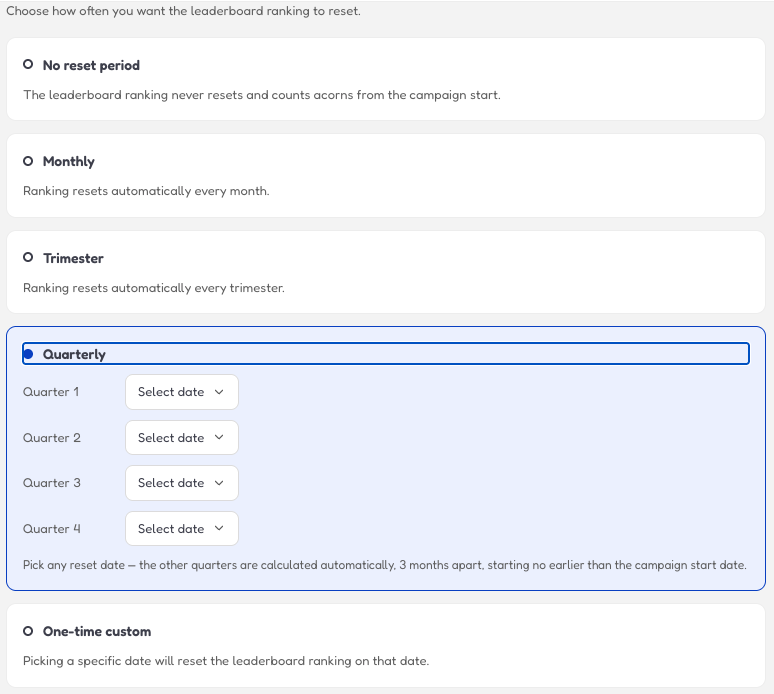
  • Set Automatic Monthly, Trimester, Quarterly, and one-time custom dates for resetting the leaderboard
    reset - set reset period
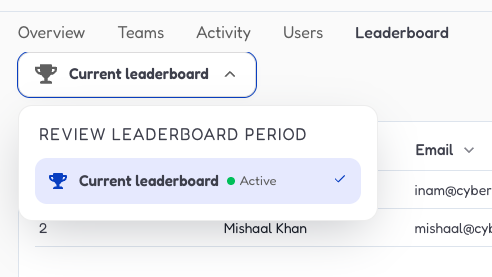
  • Review past leaderboard winners from completed
    reset -past leaderboard


Newly Added Compliance Videos

COPPA, FERPA, CIPA, PPRA, HIPAA training videos have been added along with our cybersecurity and AI awareness training videos in our compliance video library.

Delete Simulation Email after Reporting

CyberNut simulation emails will be automatically deleted from the user’s inbox after they complete the reporting process through Chip, the blue squirrel.