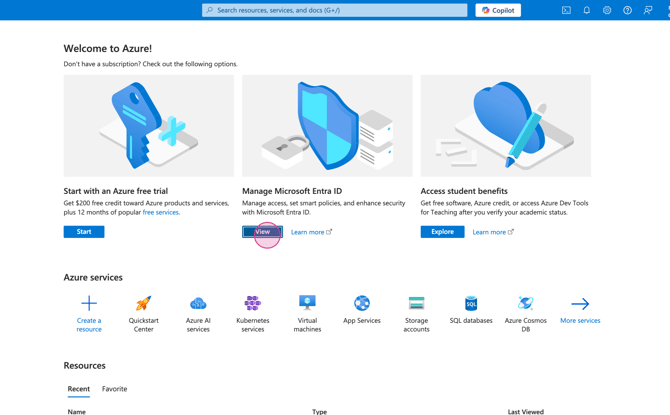
Step 1: Log in to the Microsoft Azure Portal with a Super Admin account at https://portal.azure.com. Then, click View under Manage Microsoft Entra ID.
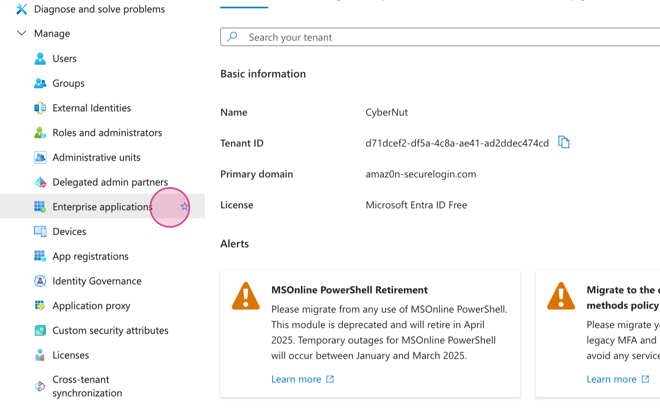
Step 2: Select Enterprise applications.
Step 3: Search and select CyberNut SSO.
Step 4: Click on Assign users and groups.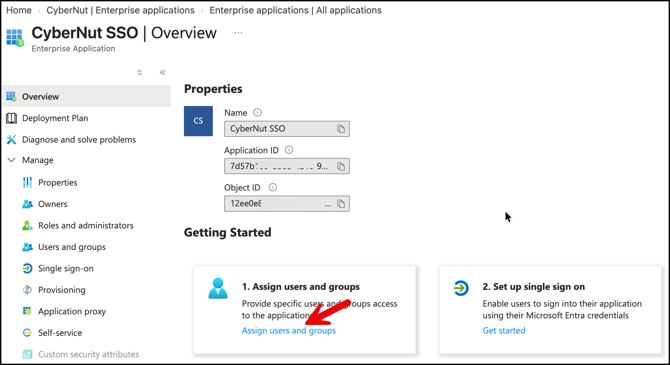
Step 5: Select Add user/group.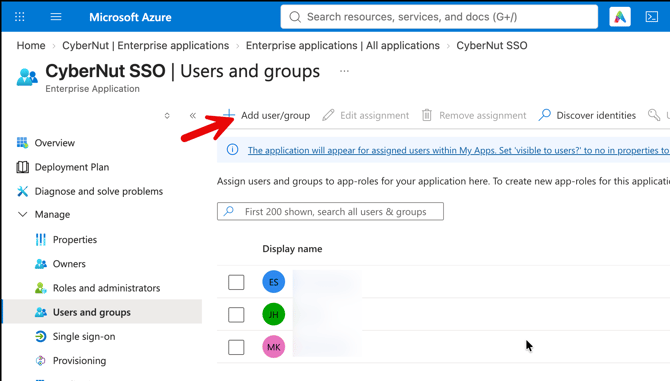
Step 6: Select None Selected. Then search and select the user.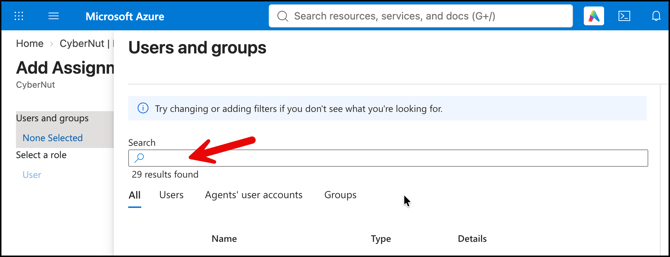
Step 7: Select Assign.
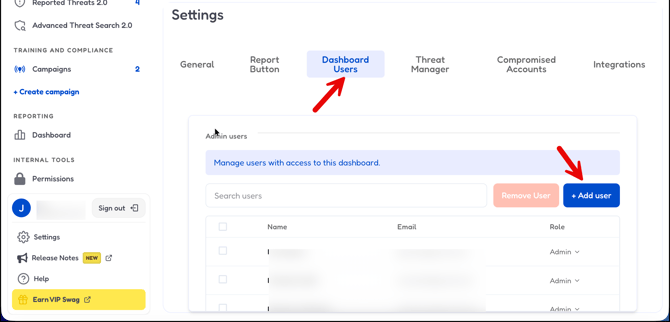
Step 8: Go to http://admin.cybernut.com. Select Settings and the Dashboard Users tab. Add the user and have them login to CyberNut as needed.