Click below for a full screen walkthrough video.
▶️ Automatic Threat Terminator (ATT)
Visit Reported Threats 2.0 without Automatic Threat Terminator (ATT) to learn about all the great features in Reported Threats 2.0 then return to this page to see what is added when you upgrade to the Automated Threat Terminator. Previously ATT was a separate feature but now it's integrated.
With the Automated Threat Terminator (ATT) add-on package, the following features are also available.
- Risk-Based Prioritization: Queues are automatically sorted by highest risk, providing phishing and legitimate verdicts on reported threats along with security threat score out of 100 and evidence to ensure the most dangerous threats are addressed first.
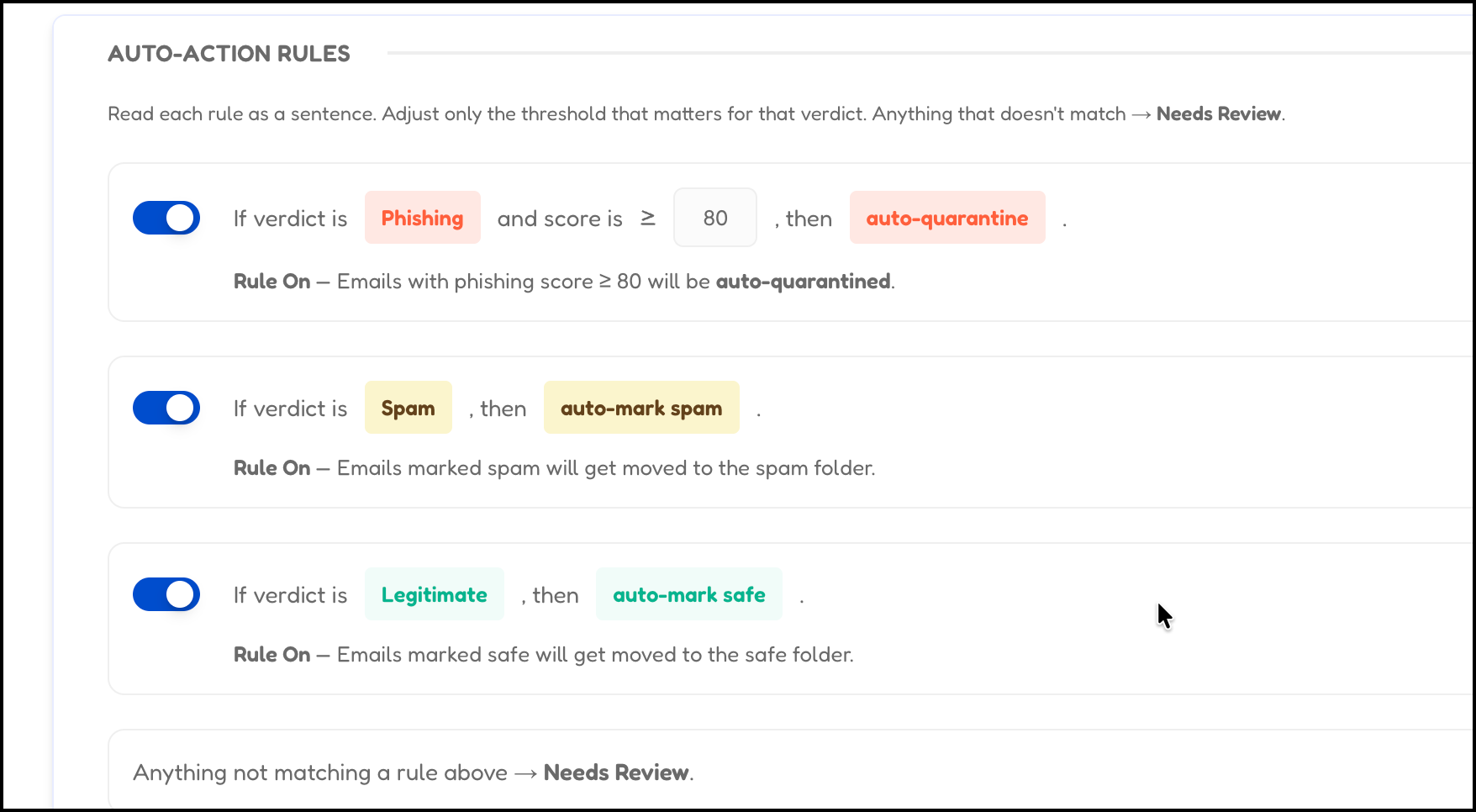
- Automated Remediation: Introduces a policy engine that allows admins to configure auto-quarantine for phishing and automatic spam management, shifting the workload from manual triage to automated threat resolution.
- ATT Recommended Actions: Get customized list of actions based on the type of threat and the types of red flags found in the reported threat. Get advice on immediate steps to take, to awareness steps, to suggest policy updates to make to help strengthen the defense against attacks.
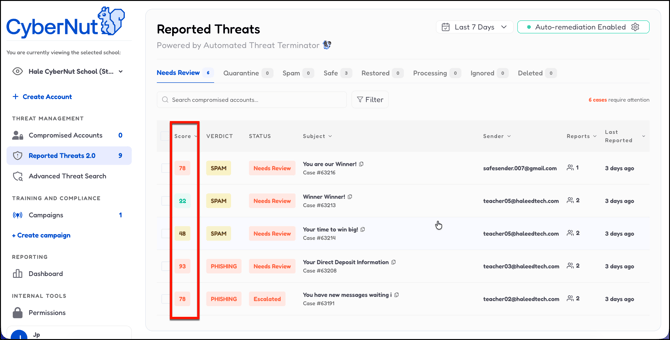
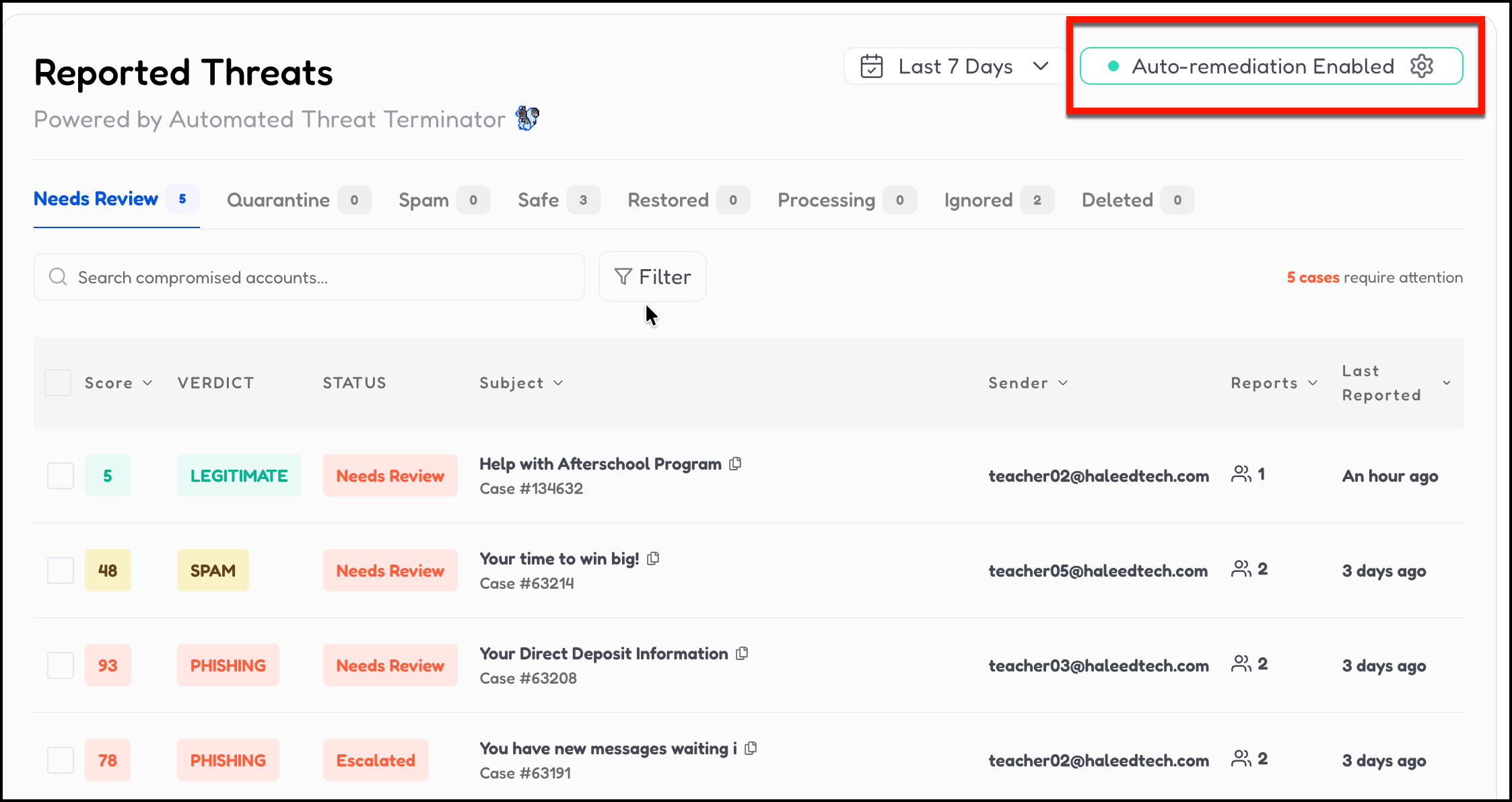
When ATT is enabled a threat Score will be displayed.
Next you will notice a Verdict. ATT will automatically determine if emails are Phishing, Spam or Legitimate.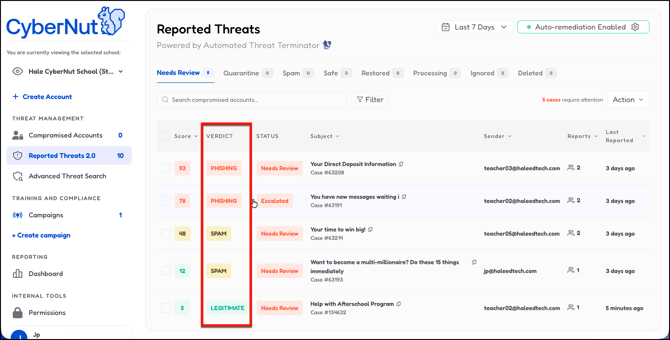
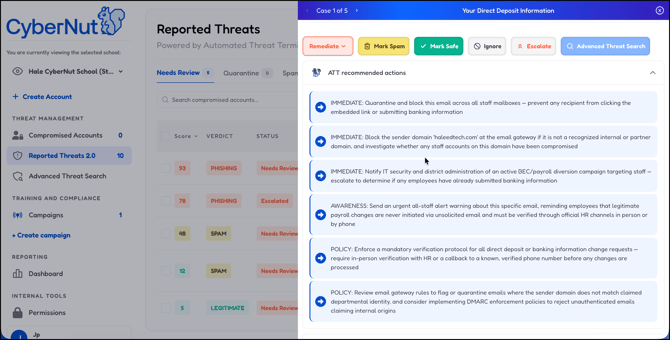
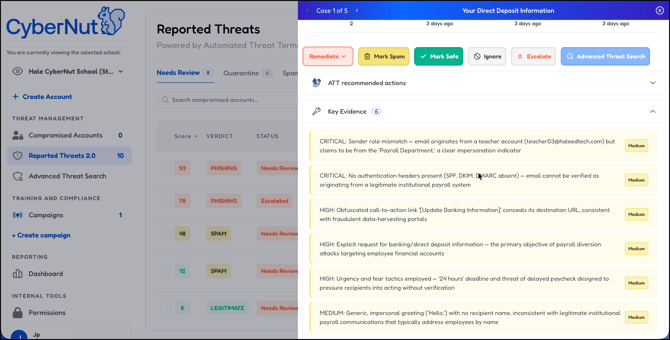
Once you select one of the cases you will notice the ATT recommended actions and Key Evidence features.
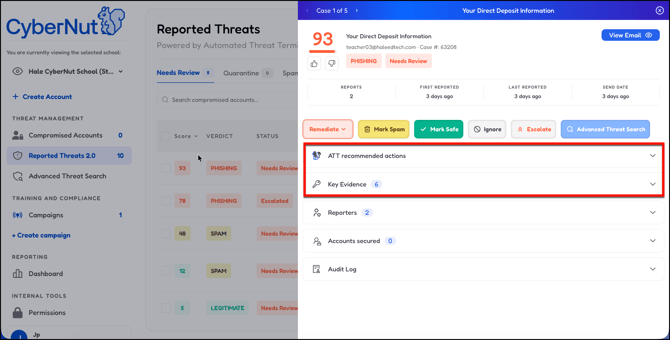
Select ATT recommended actions to see recommendations for how you might handle this specific email threat.
Select Key Evidence to see the reasons that the email is suspicious and possible threat.
In order to manage ATT select Auto-remediation Enabled.
Click to enable Auto-Remediation. Then the Auto-Action Rules will appear.
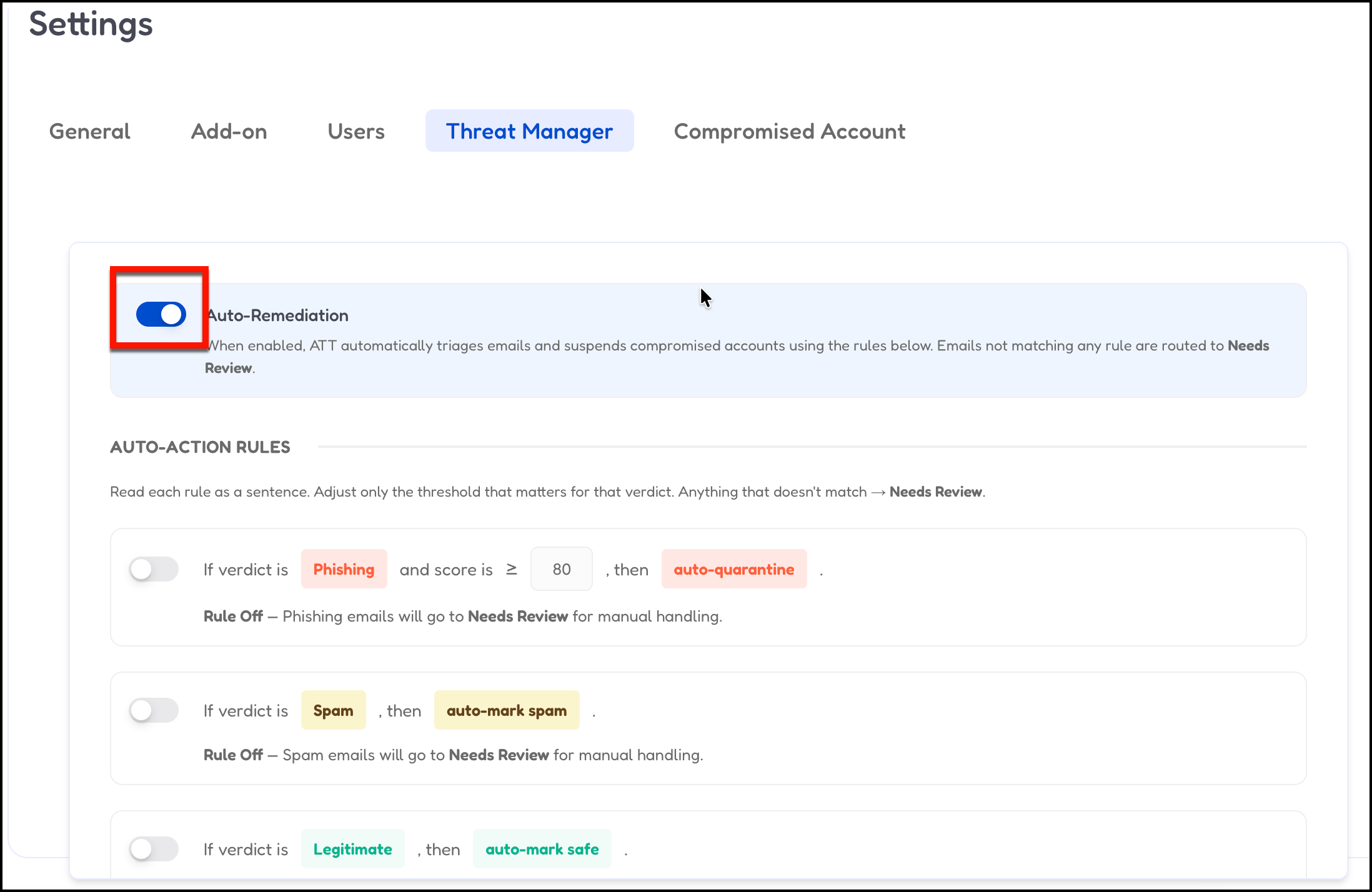
Enable each of the rules you want to be automated and then click Save at the bottom.