WHAT’S NEW
- Flexible Competition Periods: Admins can now run structured, time-boxed competitions (monthly, quarterly, or on-demand) without erasing all-time user data, as acorn totals are preserved in a separate record.1
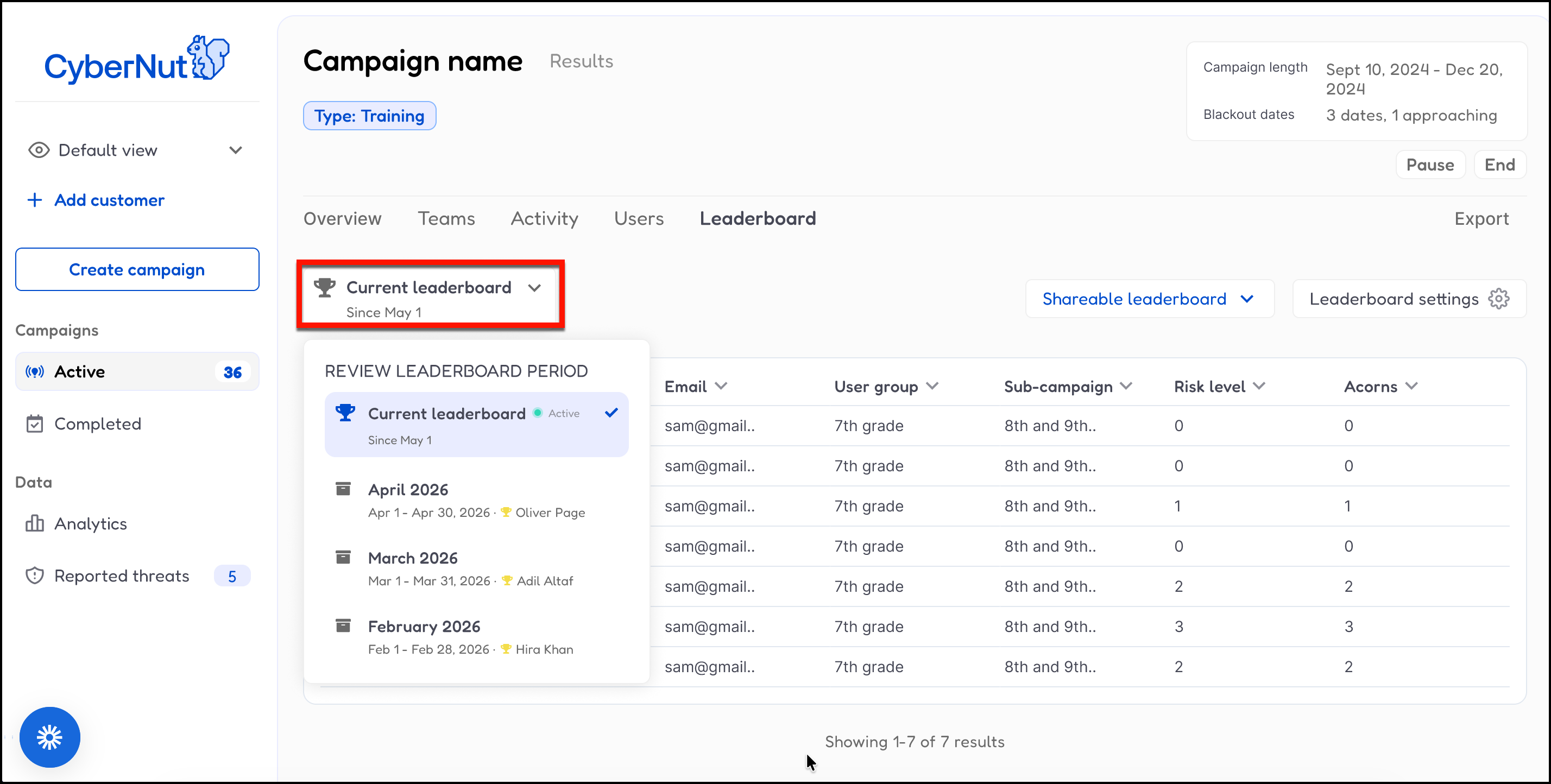
- Automatic Historical Archiving: Every reset automatically captures a snapshot of leaderboard rankings—including winners and date ranges—which is stored indefinitely in the new "Period History" tab for easy auditing and recognition.
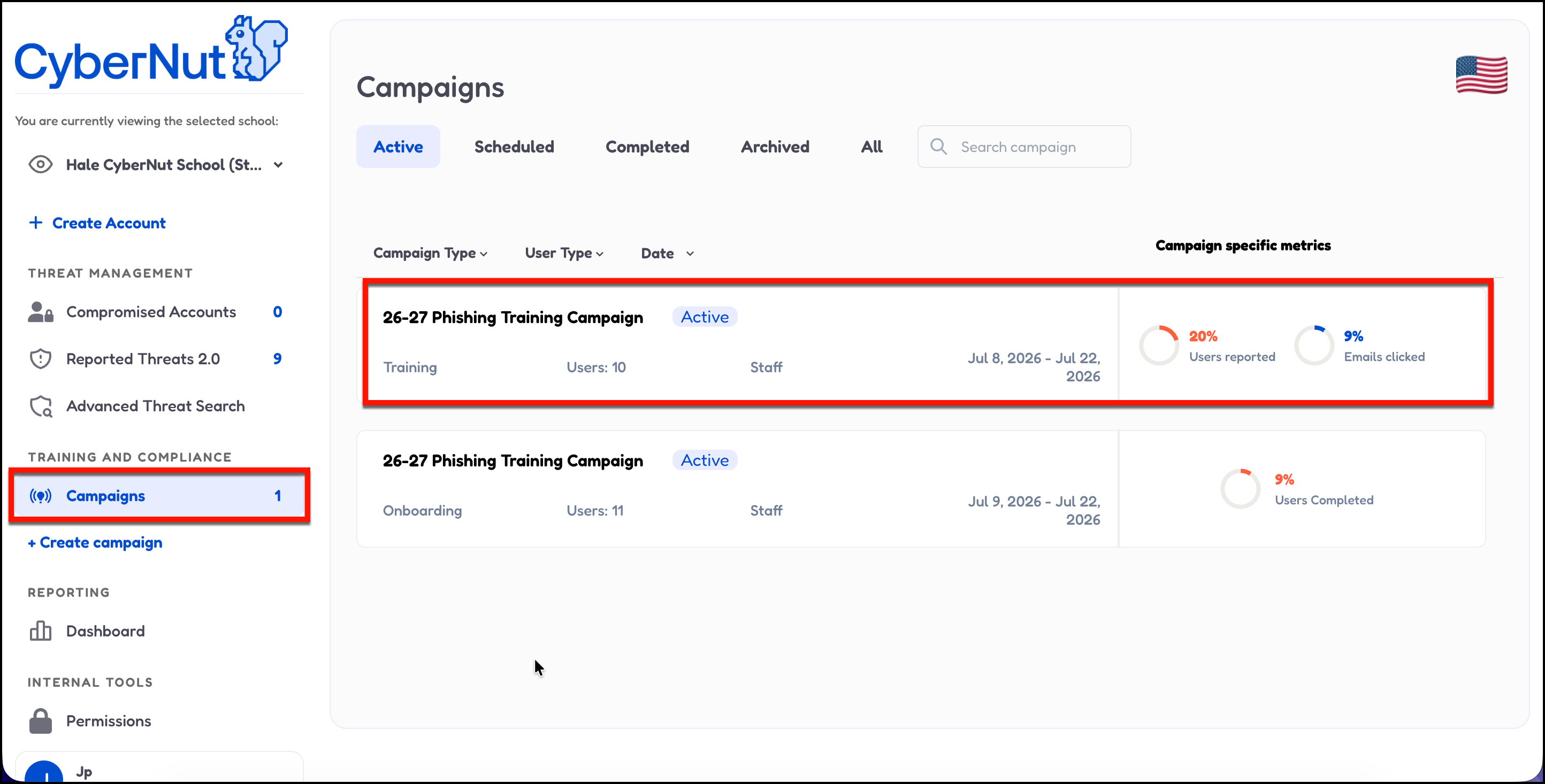
- Select an active campaign.
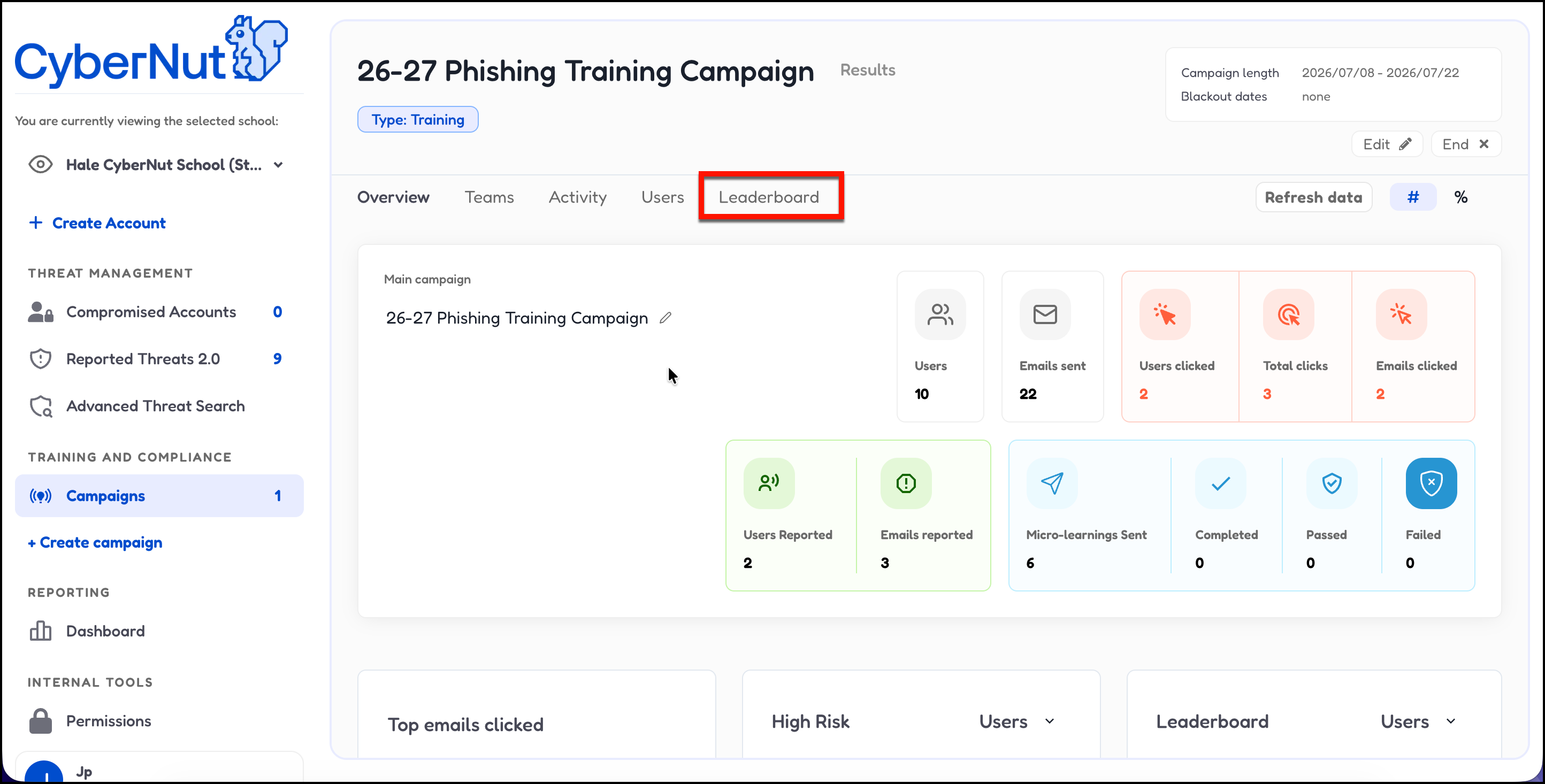
- Select Leaderboard.
- Select the Current leaderboard period by using this button if needed.
- Select Leaderboard settings.
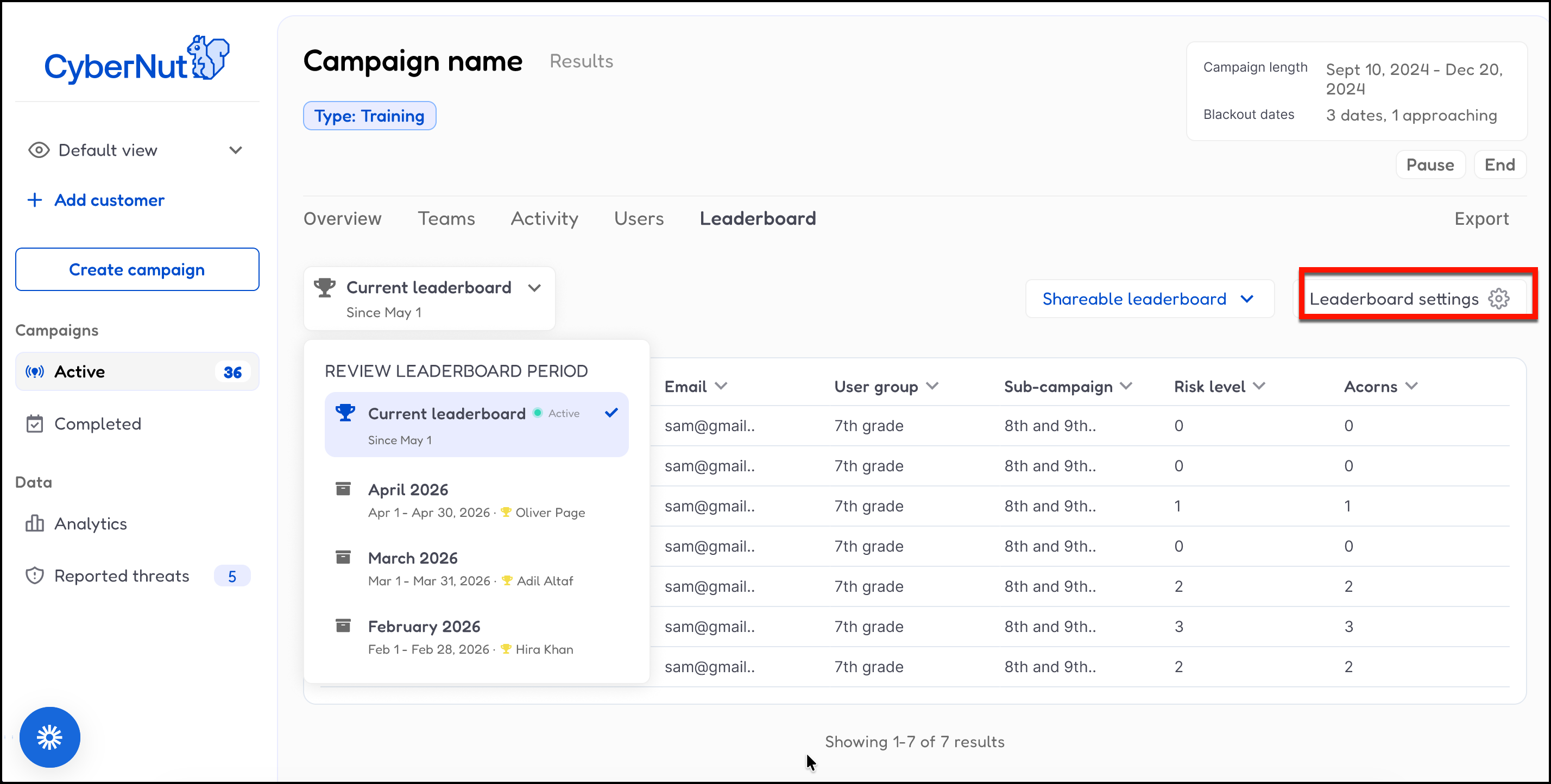
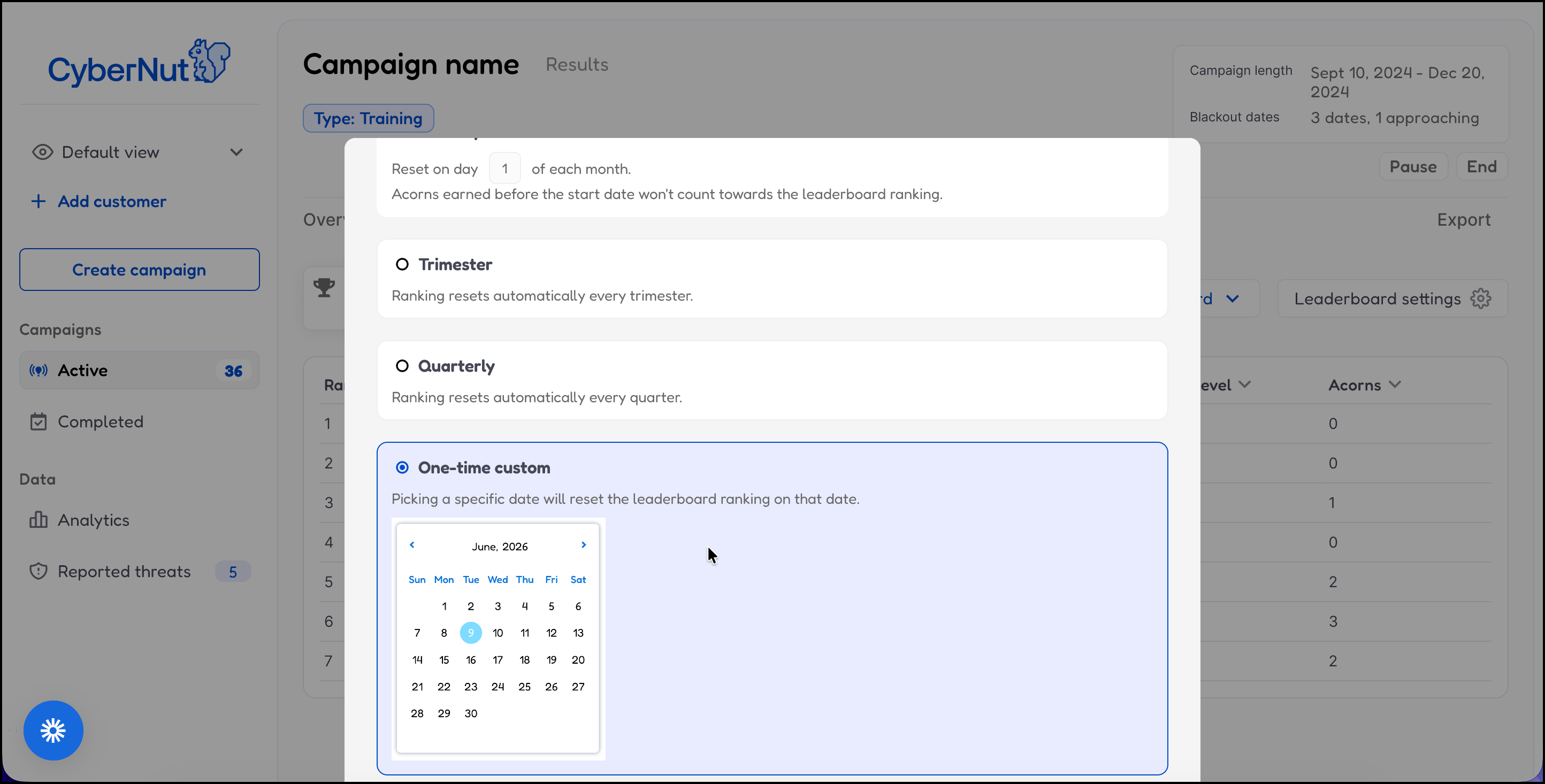
- Here you can change various settings for your leaderboard.
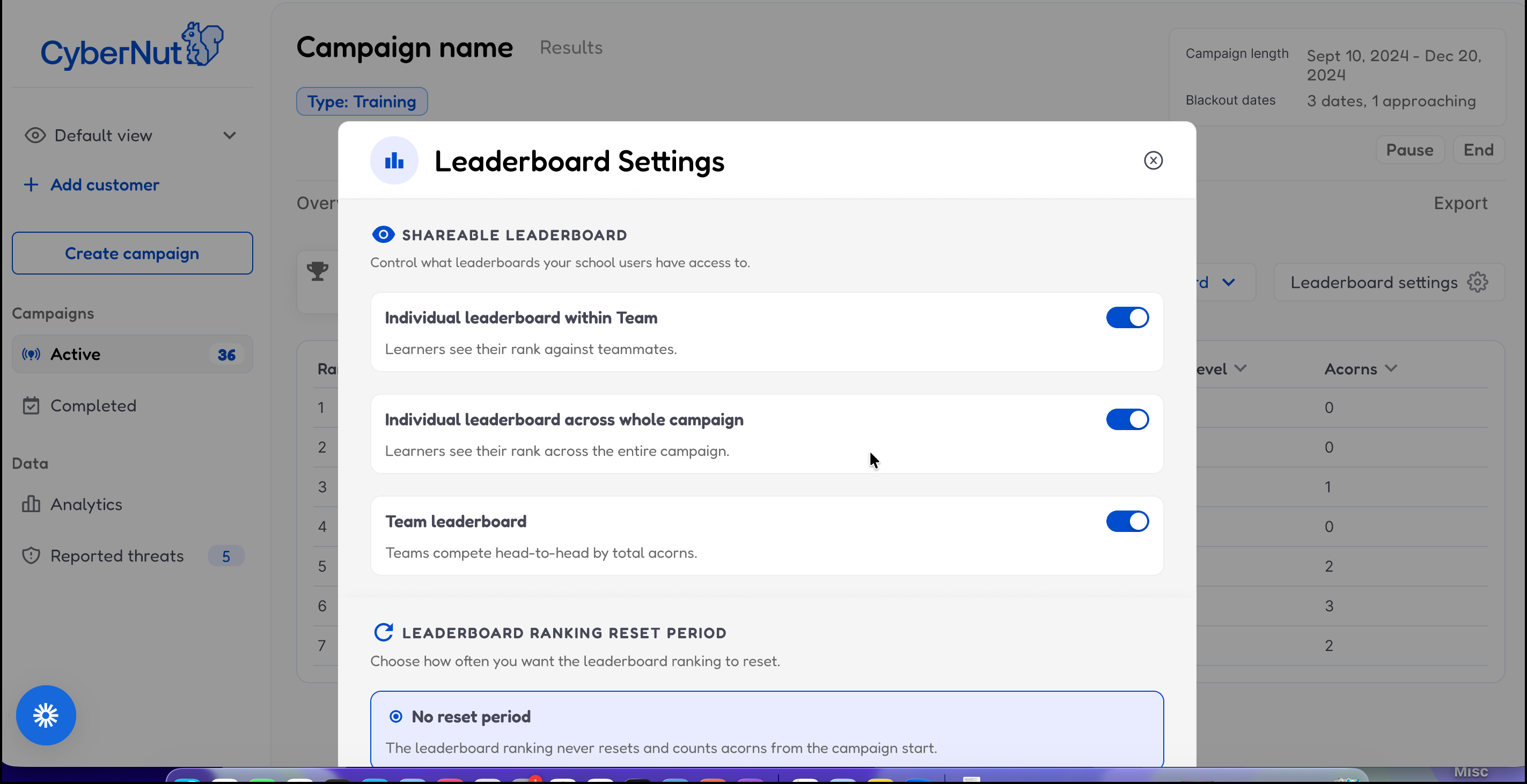
- Select Monthly to reset the leaderboard to a specific day of the month.
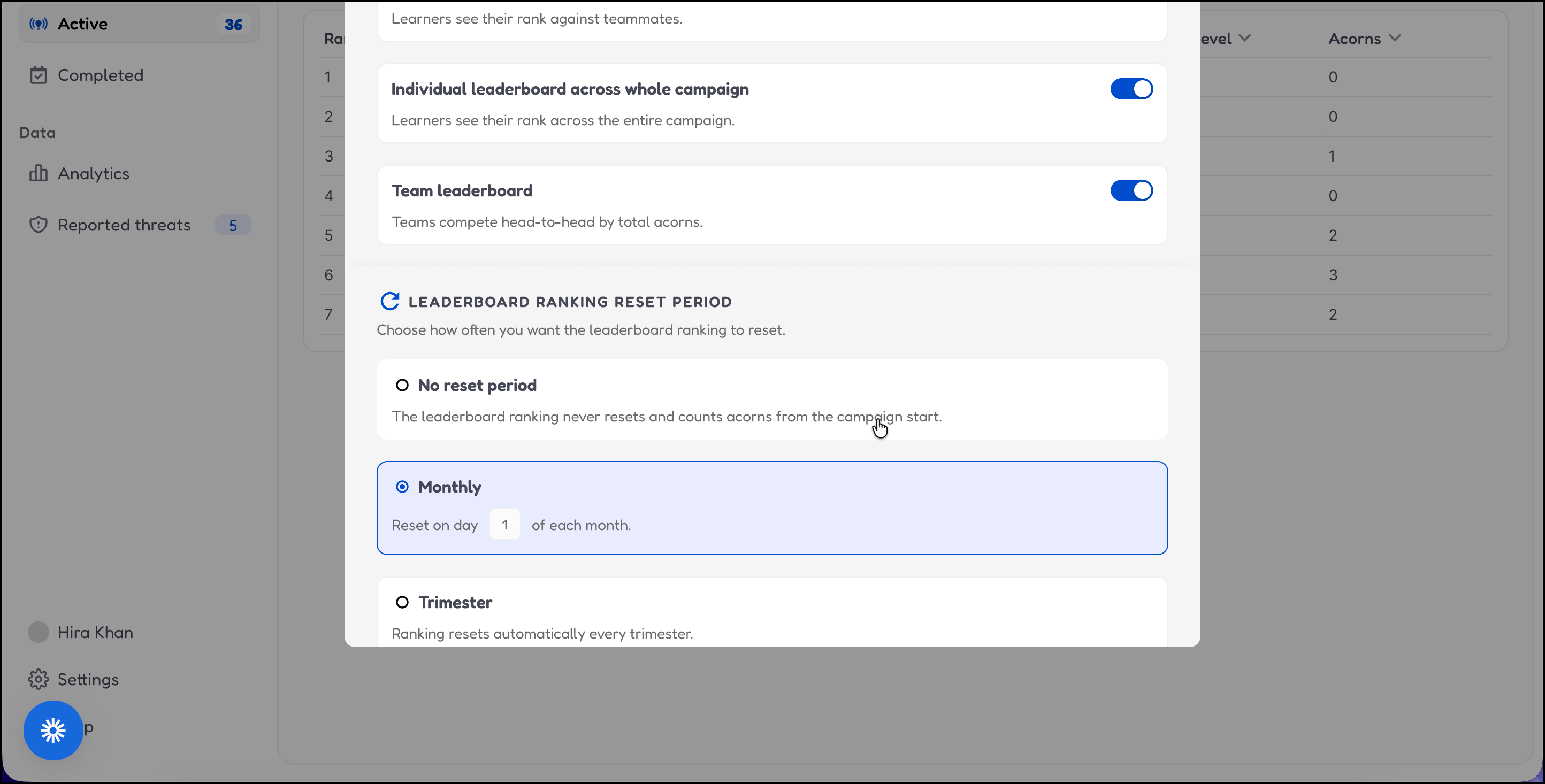
- Select Trimester to reset the leaderboard by 3 time periods.
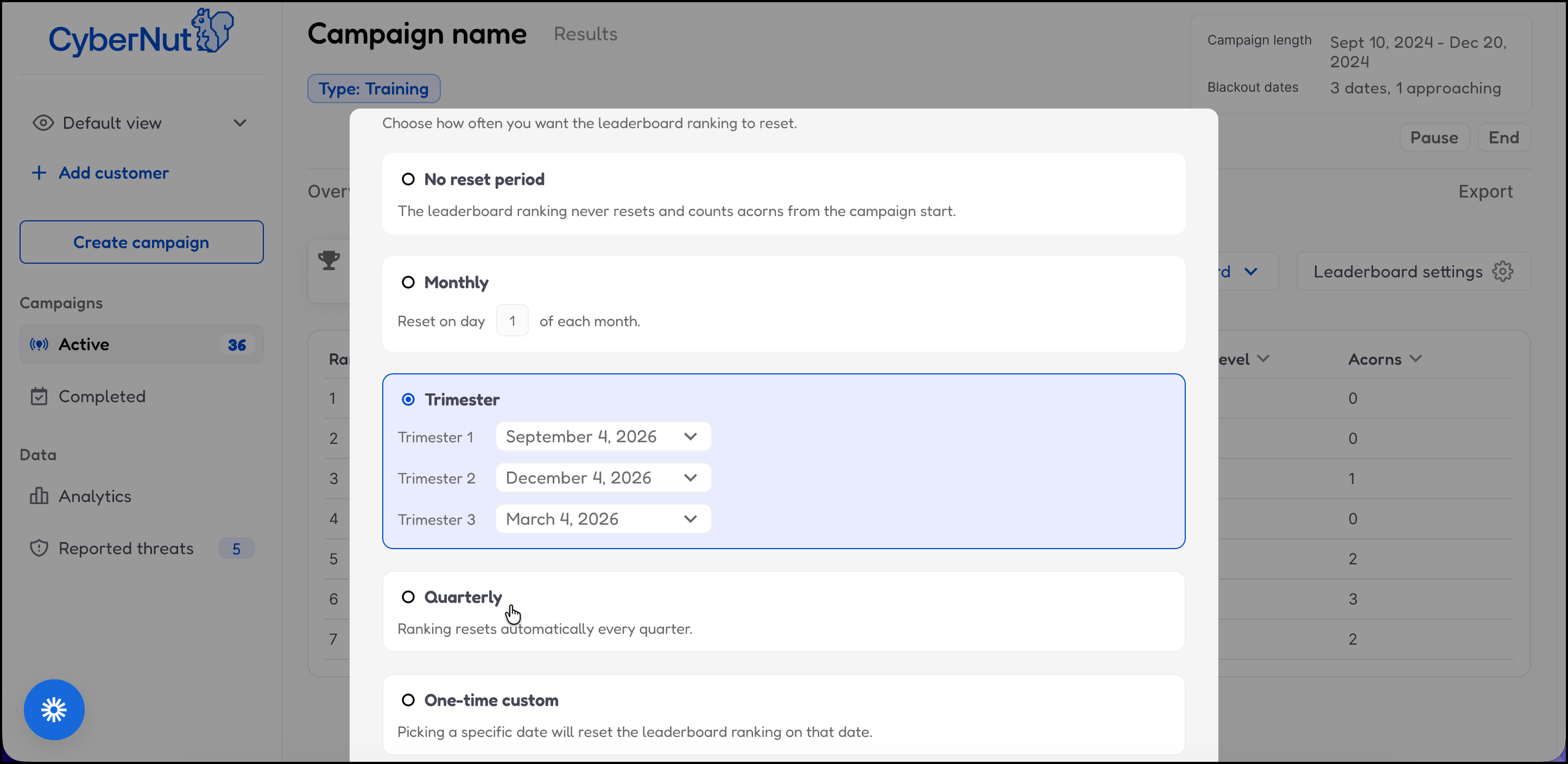
- Select Quarterly to reset the leaderboard by 4 time periods.
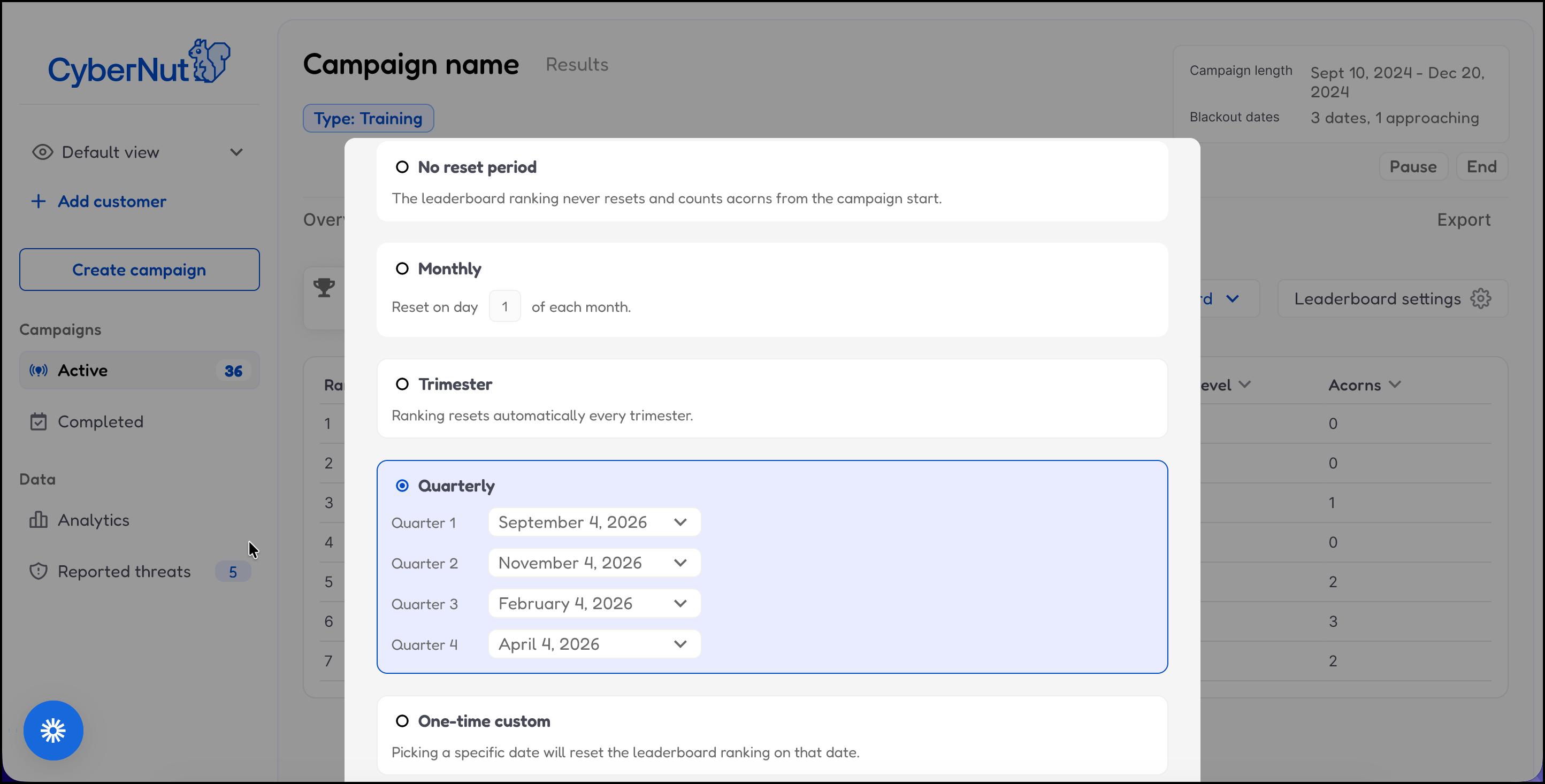
- Select One-time custom to reset the leaderboard by a specific date.