
Google Admins:
Contact support@cybernut.com to request this feature. Once the feature is active follow the directions below.
Microsoft Admins:
Follow the directions below.
Update CyberNut Admin Settings
- Log in to the CyberNut Admin Portal at http://admin.cybernut.com
- Click Settings in the bottom left corner.
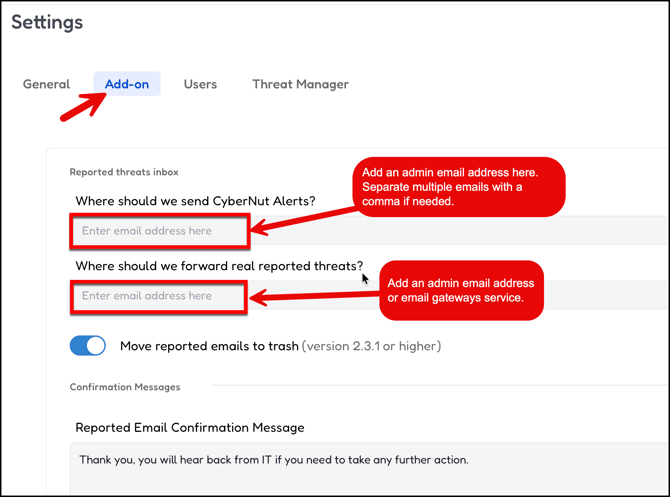
- Click the Add on tab at the top.
- Add and admin or service that should receive the emails.
Warning: Microsoft Admins need to ensure that the API Permissions are setup.