
Click below for a full screen walkthrough video.
▶️ Report Suspicious Emails in Gmail
1. Report Suspicious Emails in Gmail
Welcome! Let's walk through the simple steps to report suspicious emails in Gmail and keep your inbox secure.
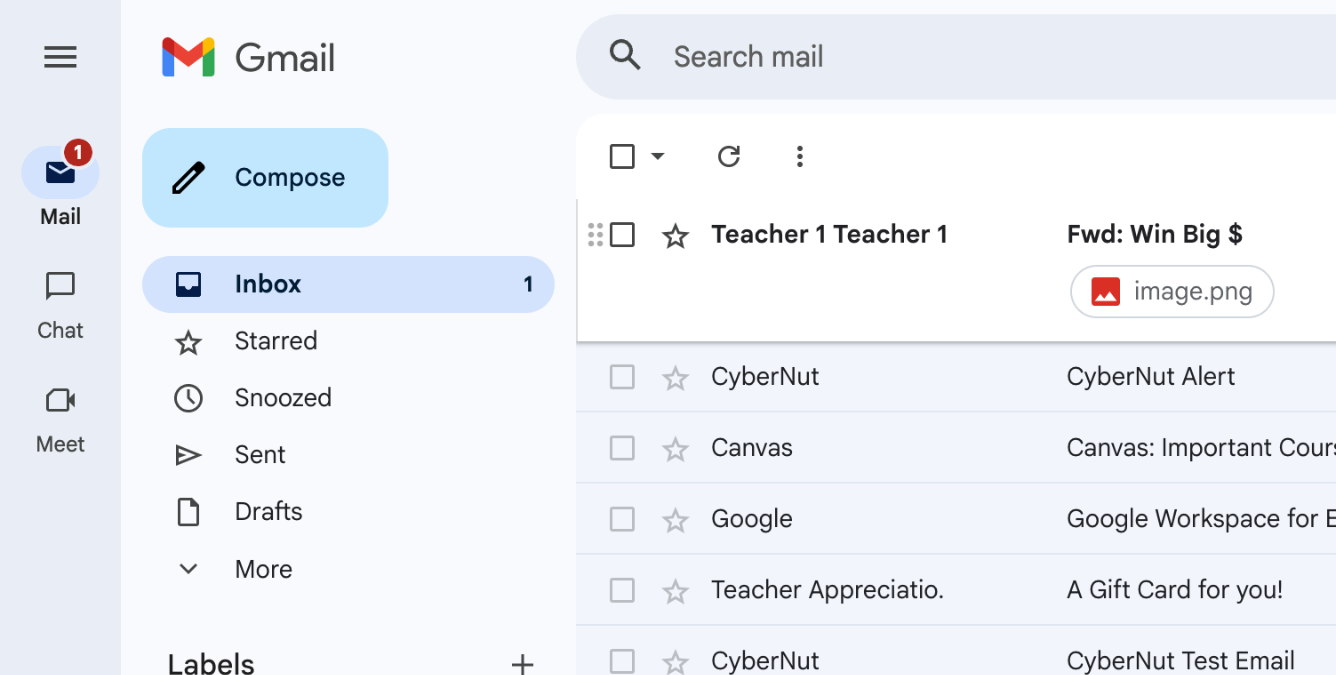
2. First, select the suspicious email you want to report. Notice the generic image file here? That's often a red flag in phishing attempts.
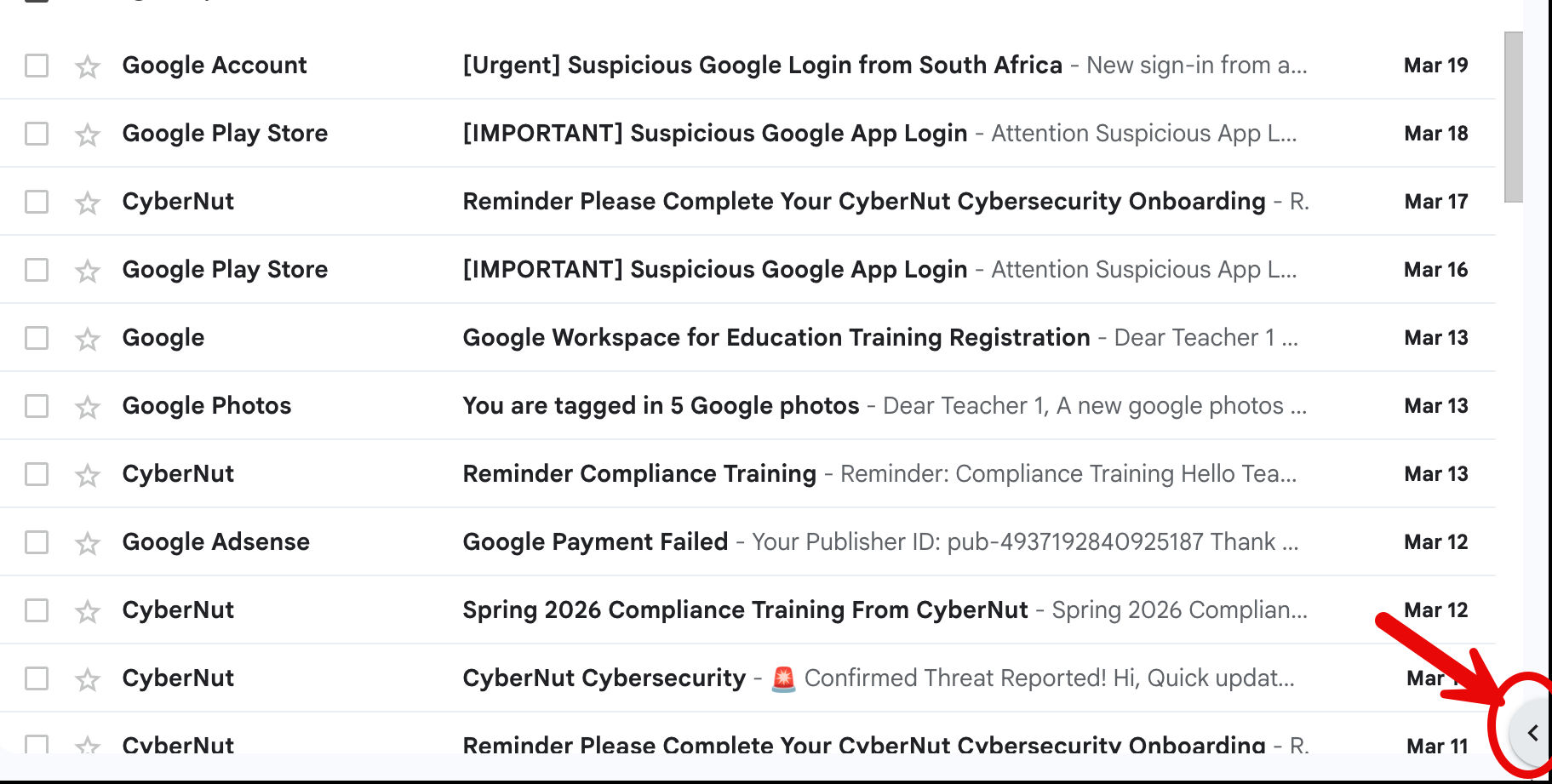
3. Click the arrow here if the add on bar is not displayed.
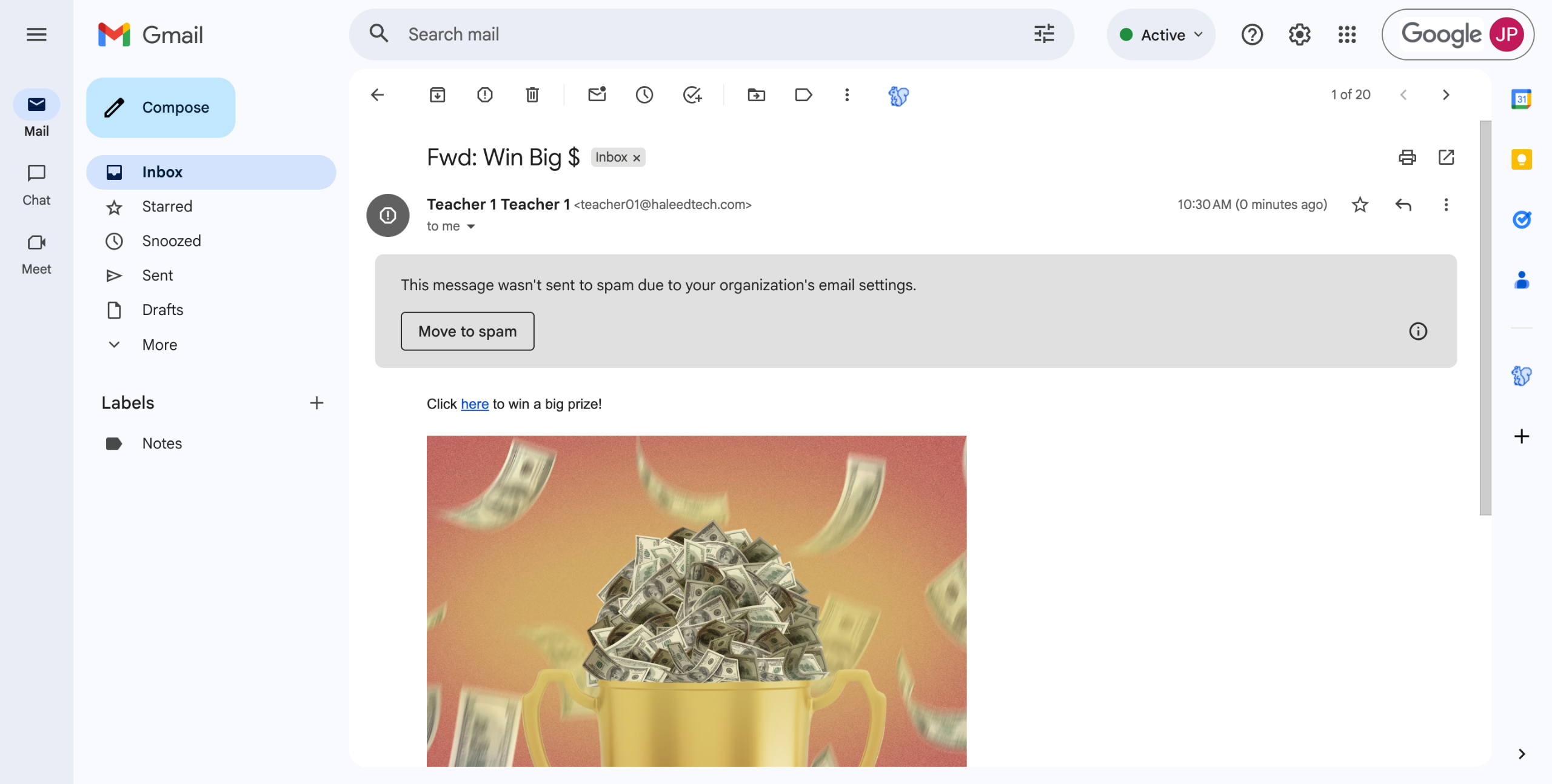
4. Now find and click the CyberNut icon (the blue squirrel) in your toolbar. This little guardian helps protect your inbox!
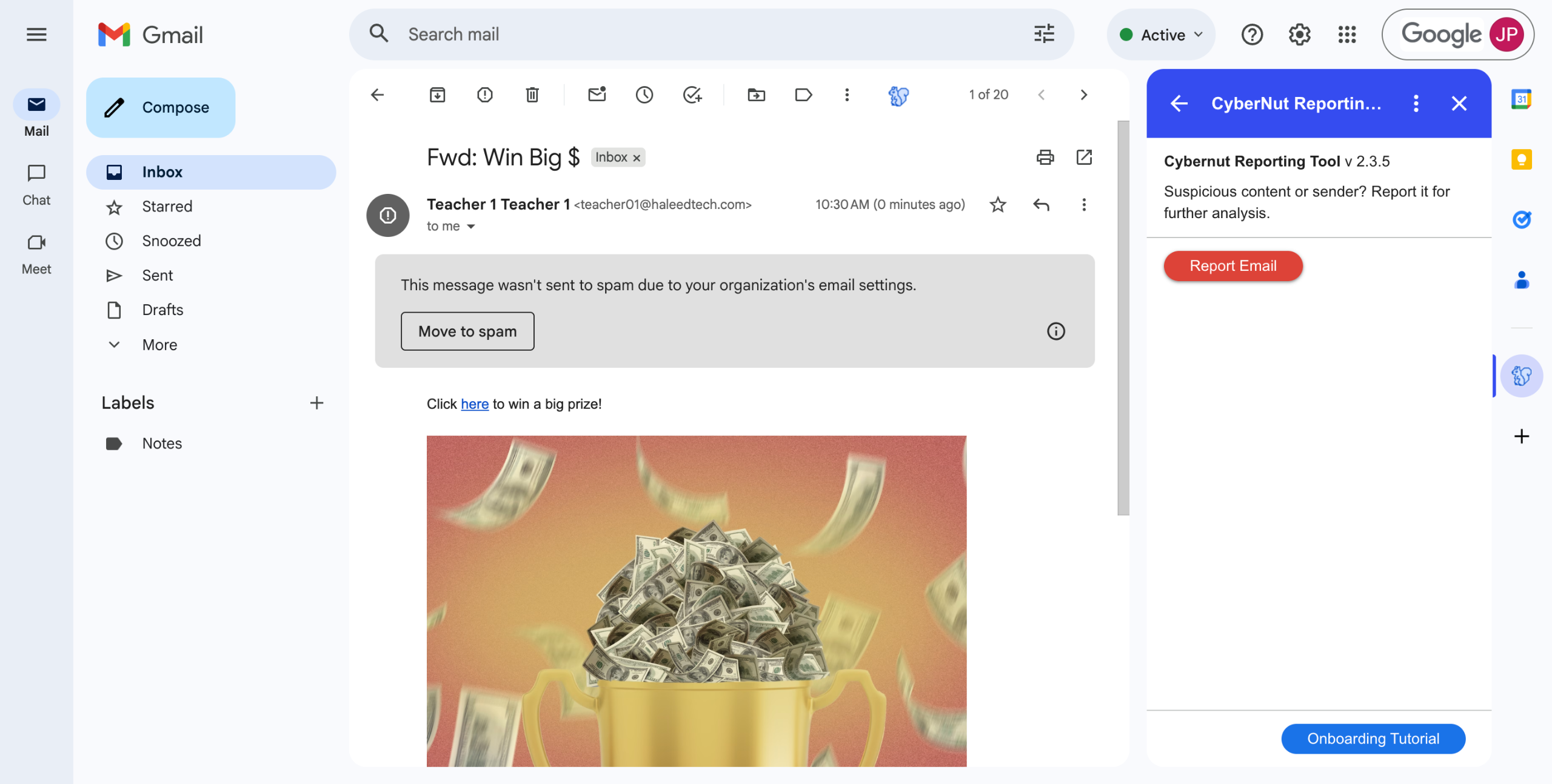
5. Click the "Report Email" button to begin the reporting process.
6. Select all options that apply to this suspicious email. Be as specific as possible to help improve threat detection.
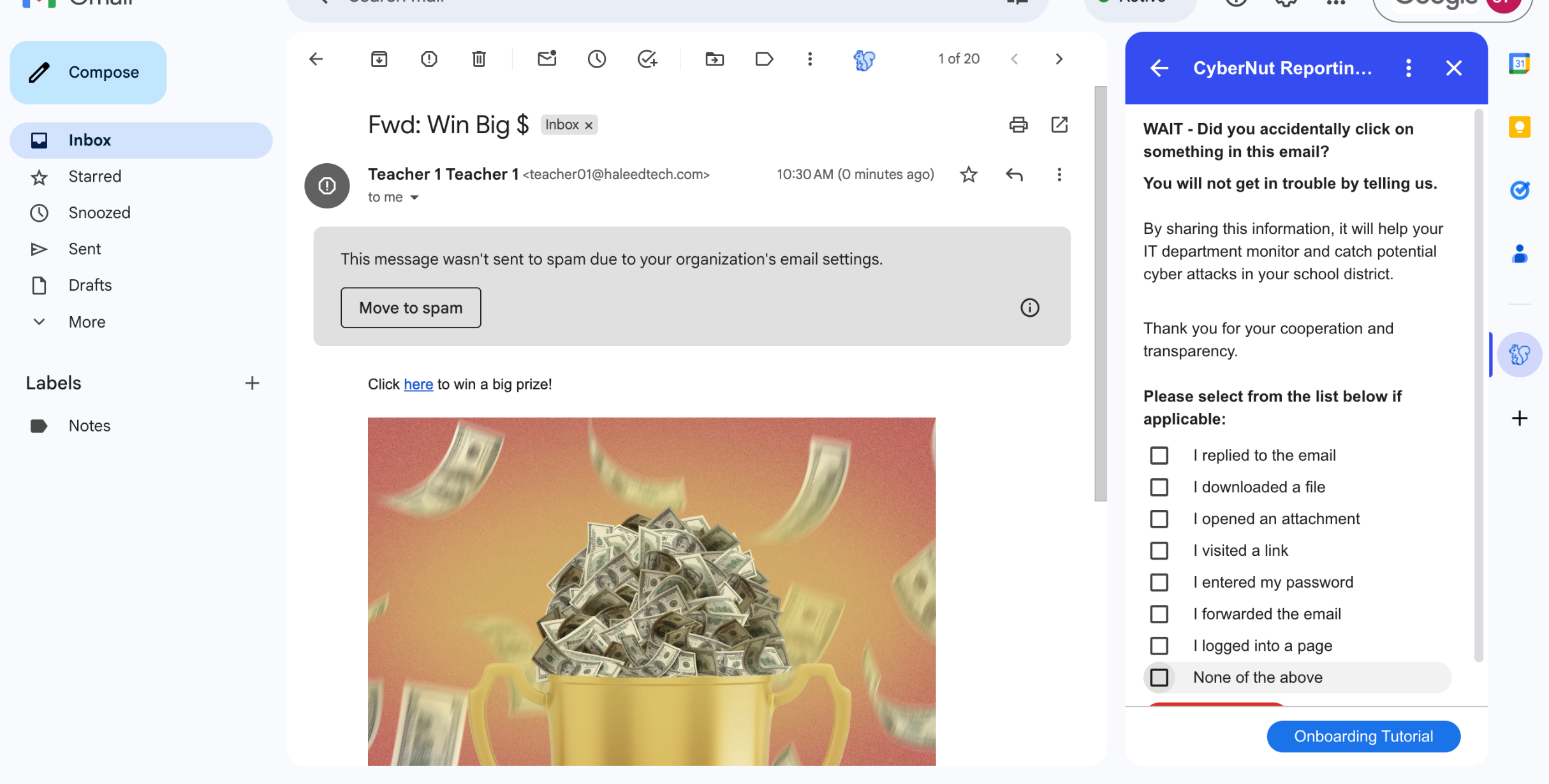
7. Finalize by clicking "Report Email" - and that's it! Your report helps protect not just you, but other users too.
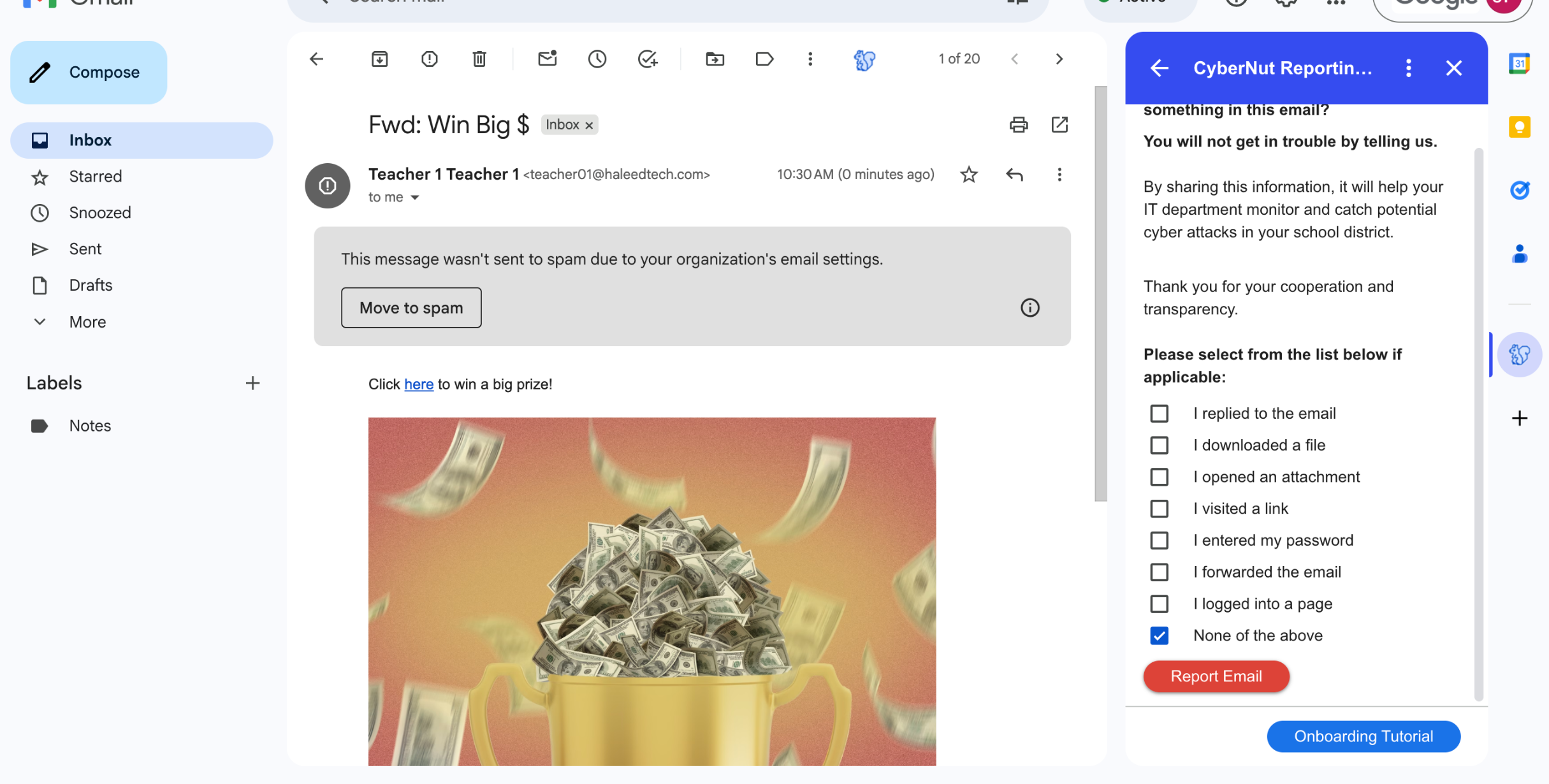
8. Congratulations!
You've mastered reporting suspicious emails in Gmail. This simple habit goes a long way in keeping your account secure.