
If you need to provide access to the the CyberNut Add-in to users of the legacy version of Outlook (2016) you must do so for all users unless they are in a separate user group. Otherwise, users will see two version of the add-in causing confusion.
Follow these directions to remove the newest version of the add-in.
-
Login to the Microsoft 365 Admin Center at https://admin.cloud.microsoft/
-
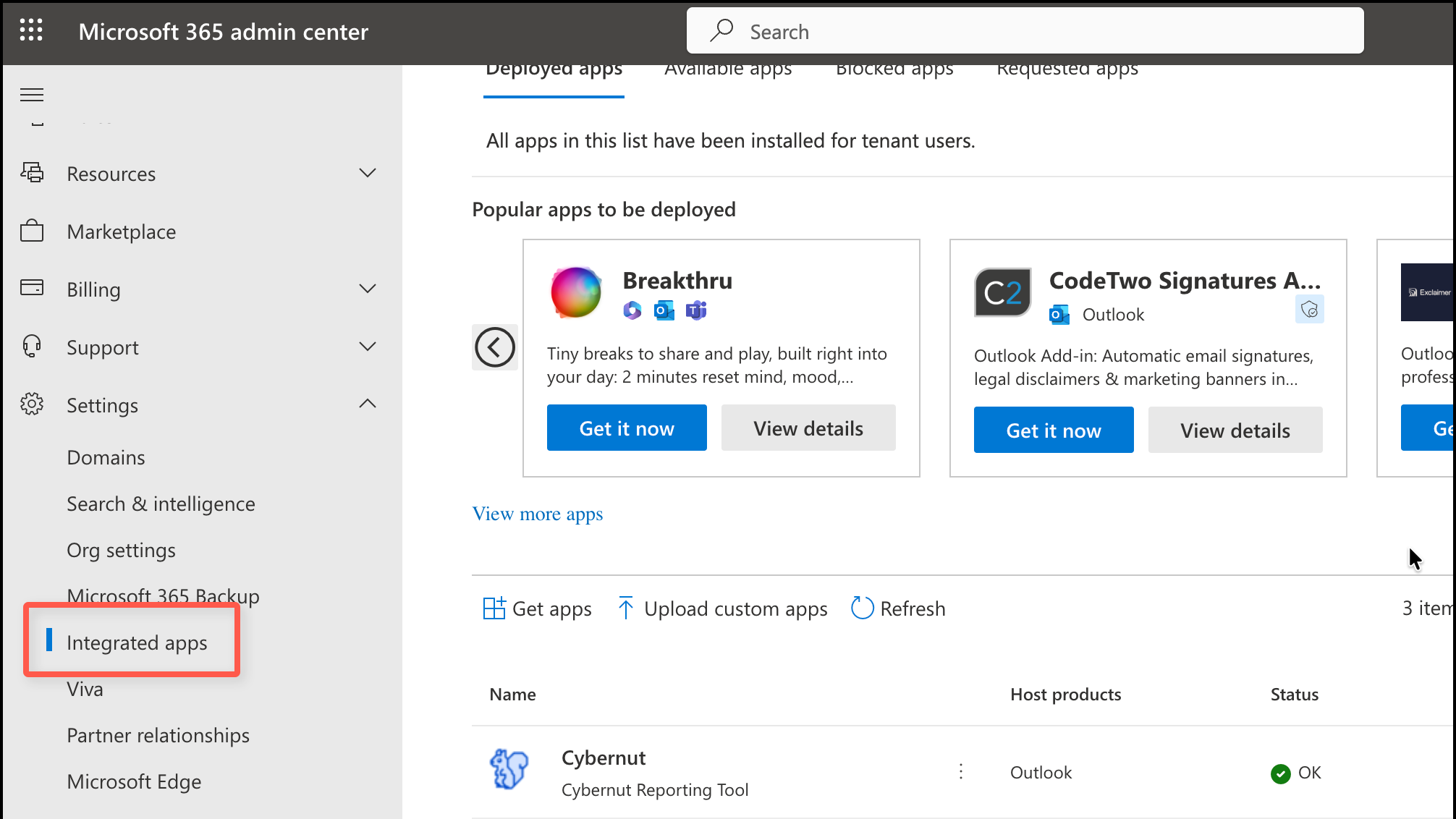
Select Setting>Integrated apps from the left side. (May have to click Show All.)
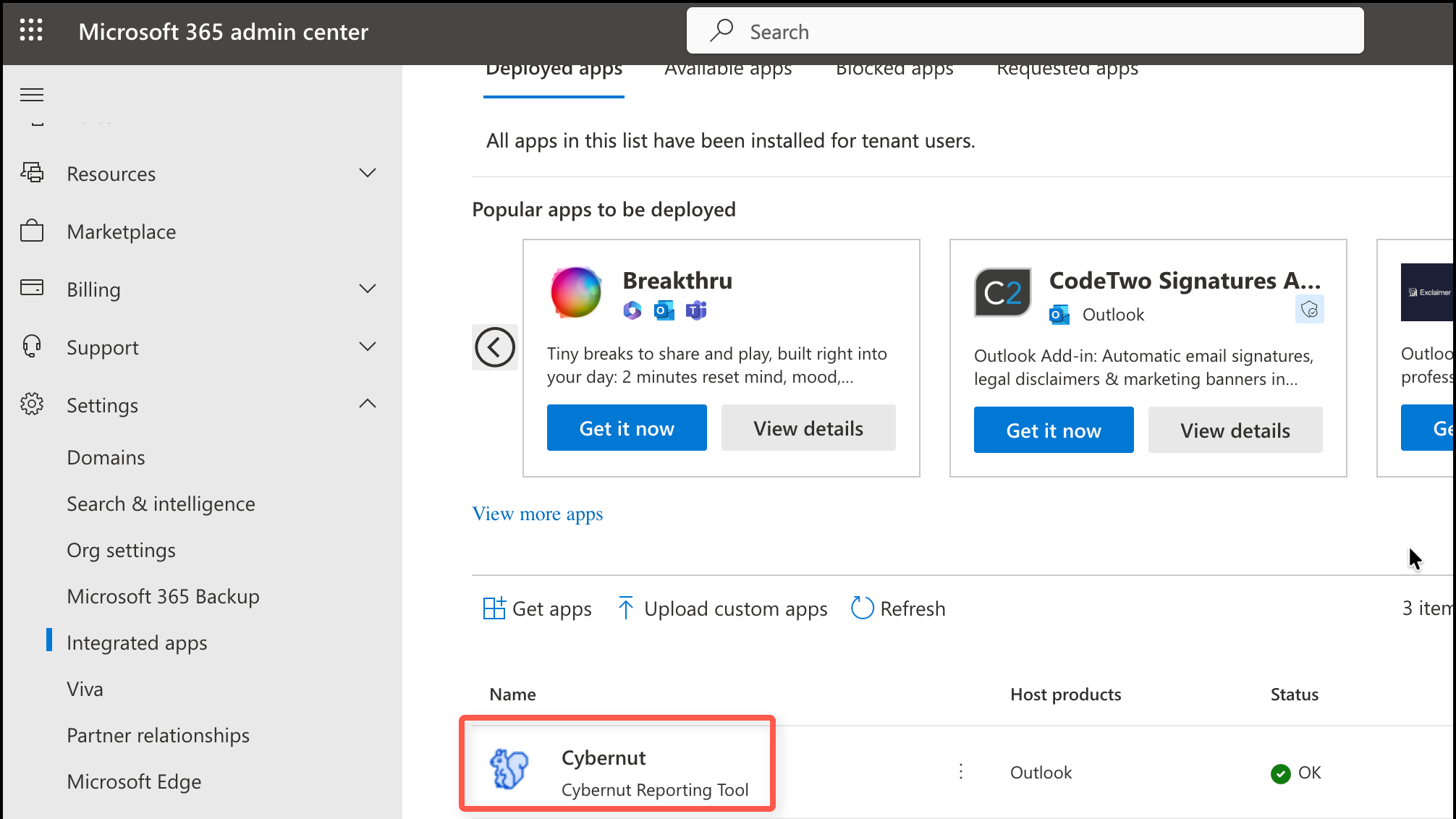
- Click Cybernut from the list of apps.
- Click Remove app.
Note: It may take up to 72 hours to remove the app.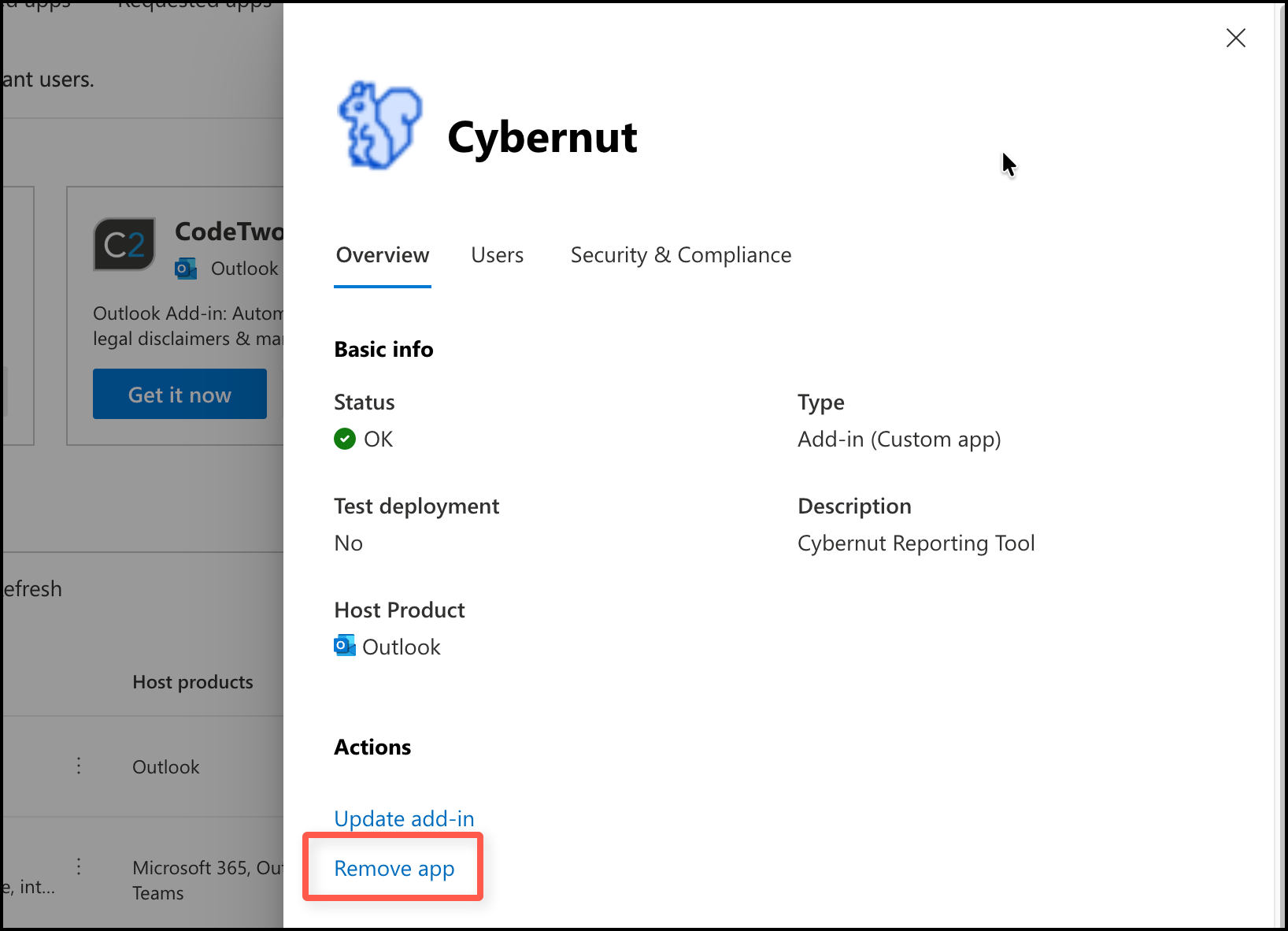
Refer to this article if you need to install the legacy version of the add-in instead.