
Caution: If Direct Mail Injection is setup this is not a necessary step.
Click below for a full screen walkthrough video.
▶️ Preparing a CSV of User Data from Google Directory
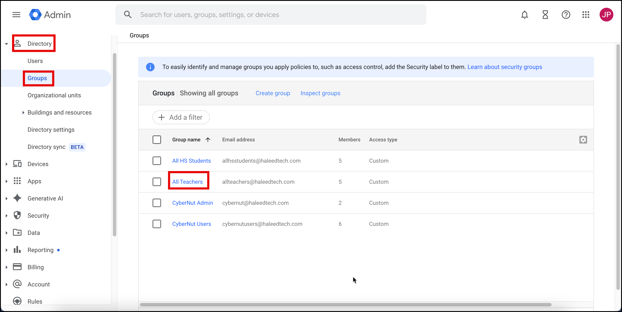
- Log in to the Google Admin Console at http://admin.google.com navigate to Directory>Groups. Then select your group. (ex. All Teachers)
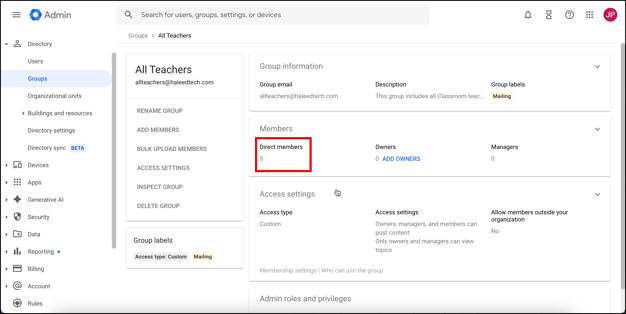
- Click on the Members section.
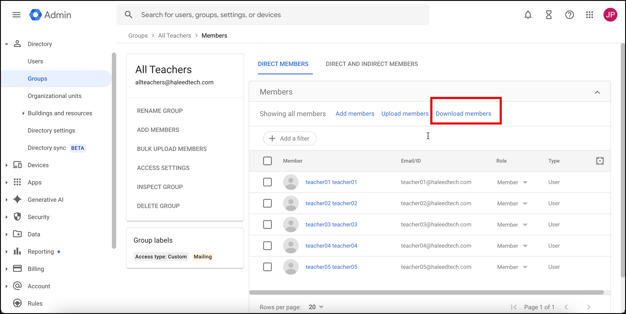
- Click Download Members.
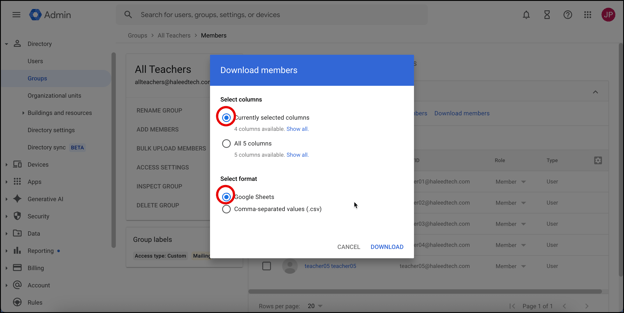
- Keep all selected columns, choose Google Sheets as the format, and click Download.
- The data will download and save into a Google Sheet. Click on Open in Google Sheets to view the data.
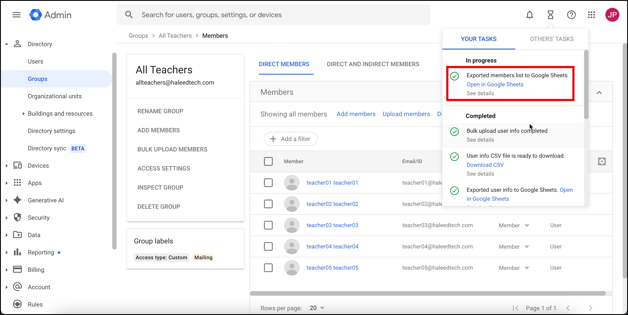
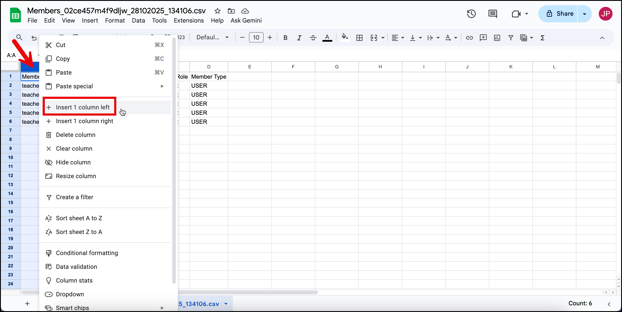
- Format the data according to CyberNut requirements. Start by selecting Column A and inserting a column to the left.
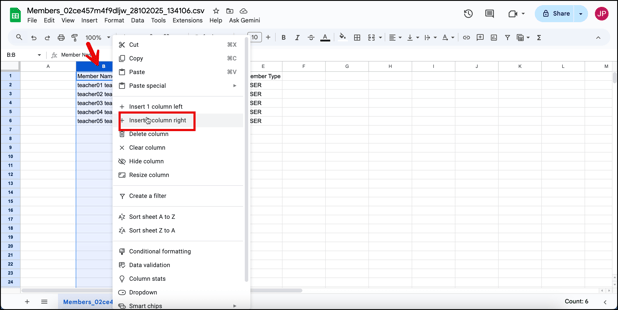
- Then select Column B and insert a column to the right.
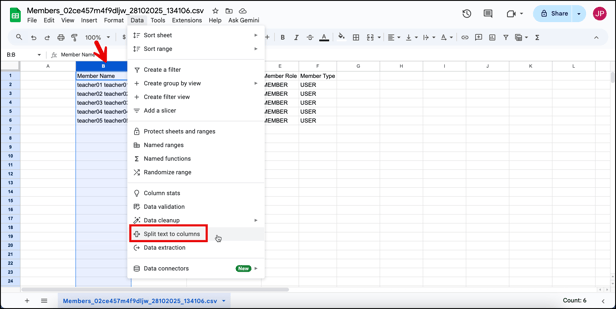
- Select Column B and Split text to columns so the First and Last Name will be in Column B and Column C.
- Select Space as the method to separate the First and Last Name.
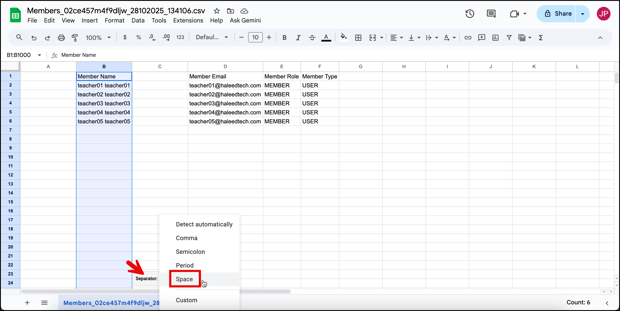
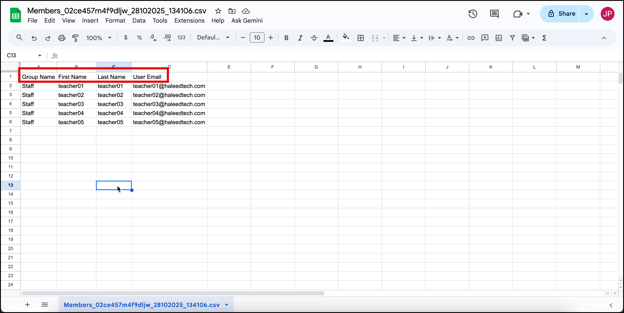
- Relabel the columns as shown below.
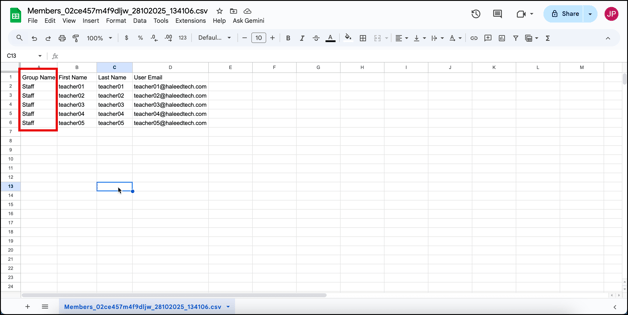
- Change the Group name for each user to either Staff or Student.
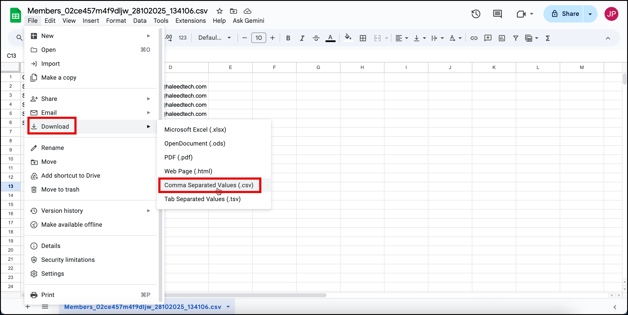
- Click File>Download>Comma Separated Values (.csv)
- Save the file with a chosen name. (Ex. CyberNut Users)