
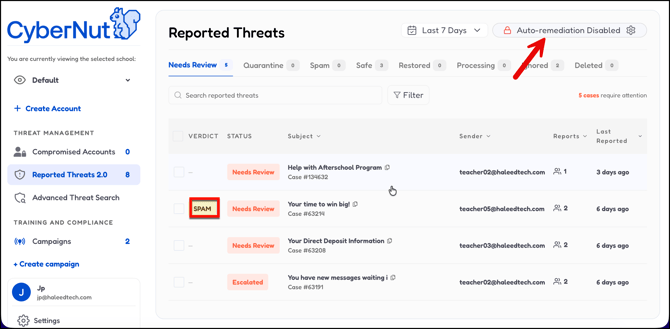
Built into Reported Threats 2.0 a new feature is now available that identifies and labels emails that are considered Spam. In order to enable this feature do the following:
- Log in to CyberNut as http://admin.cybernut.com
- Select Reported Threats 2.0.
- Select Auto-remediation Disabled at the top right.
- Toggle on Auto-label spam.
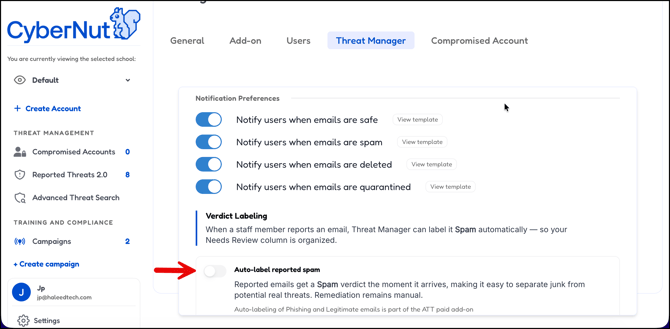
- Click Save.
Note: Alternatively, you can go to Settings>Threat Manager and then toggle on and save the setting.