- Log on to your Google Admin console at http://admin.google.com
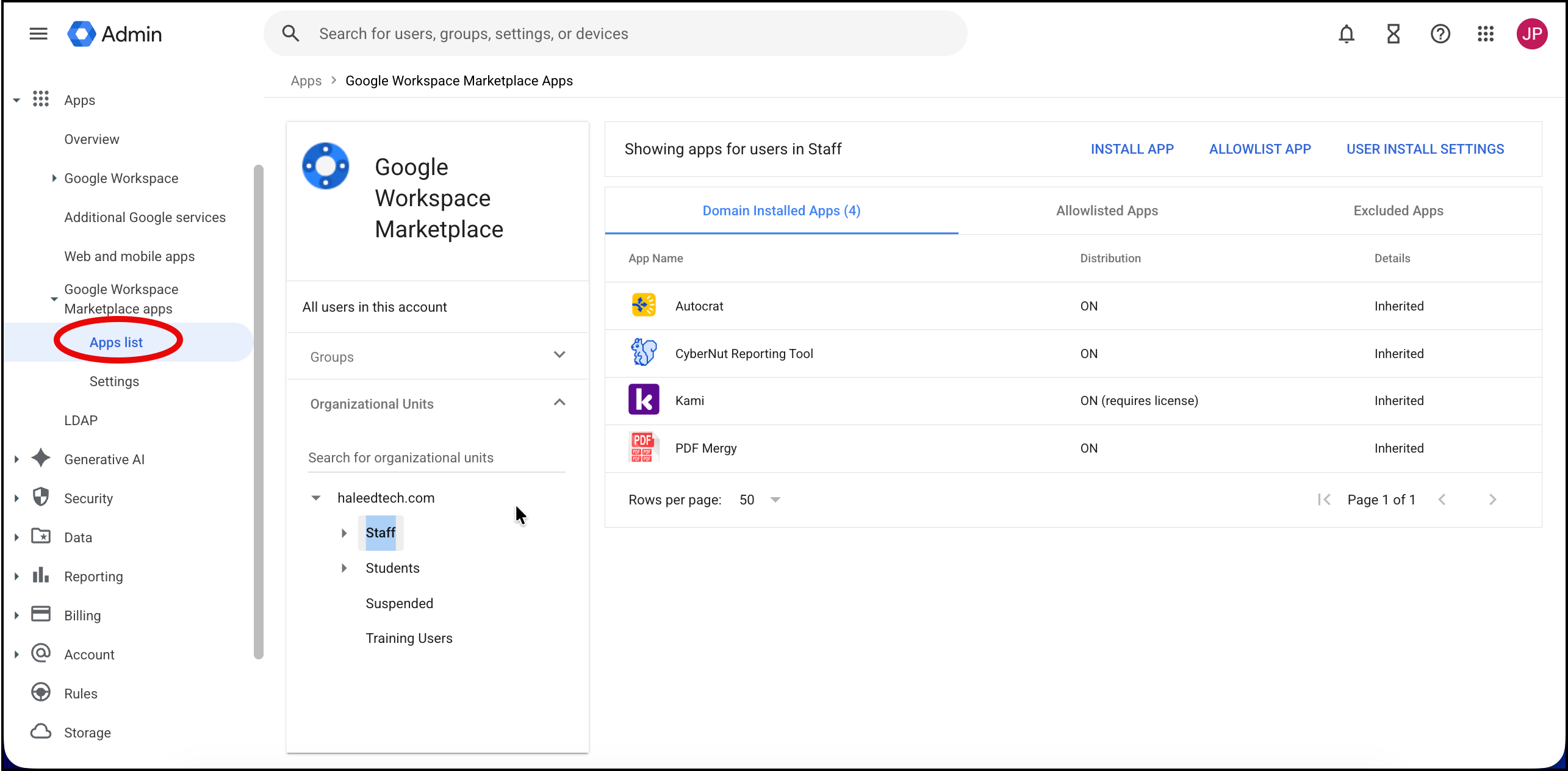
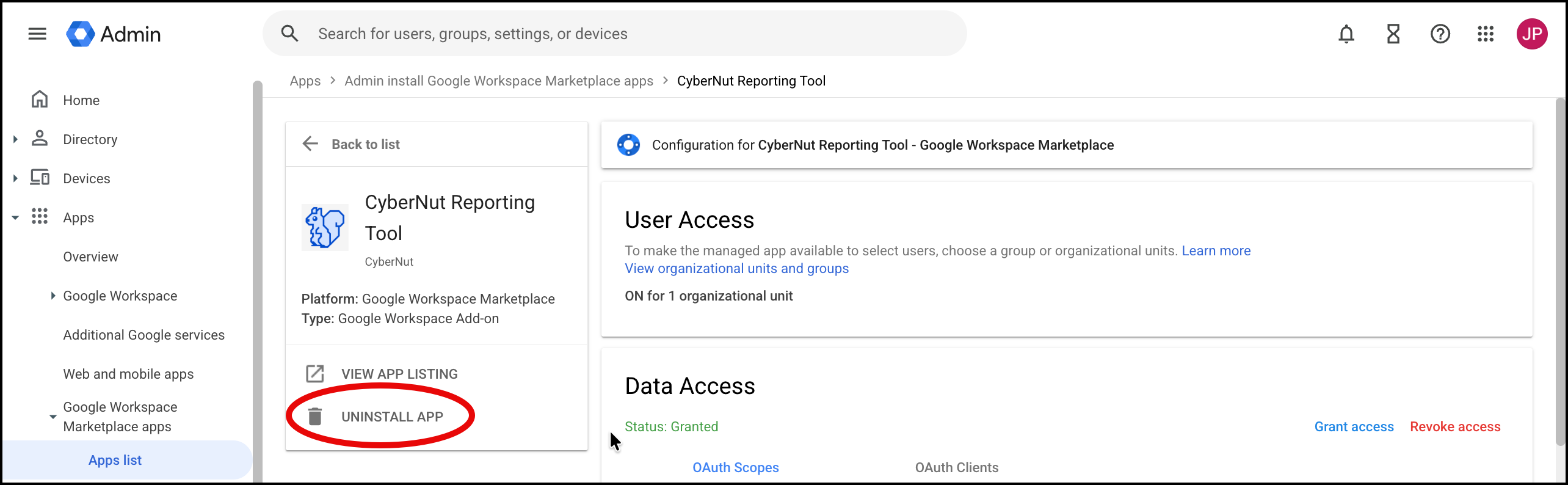
- Click Apps>Google Workspace Marketplace apps>Apps list.
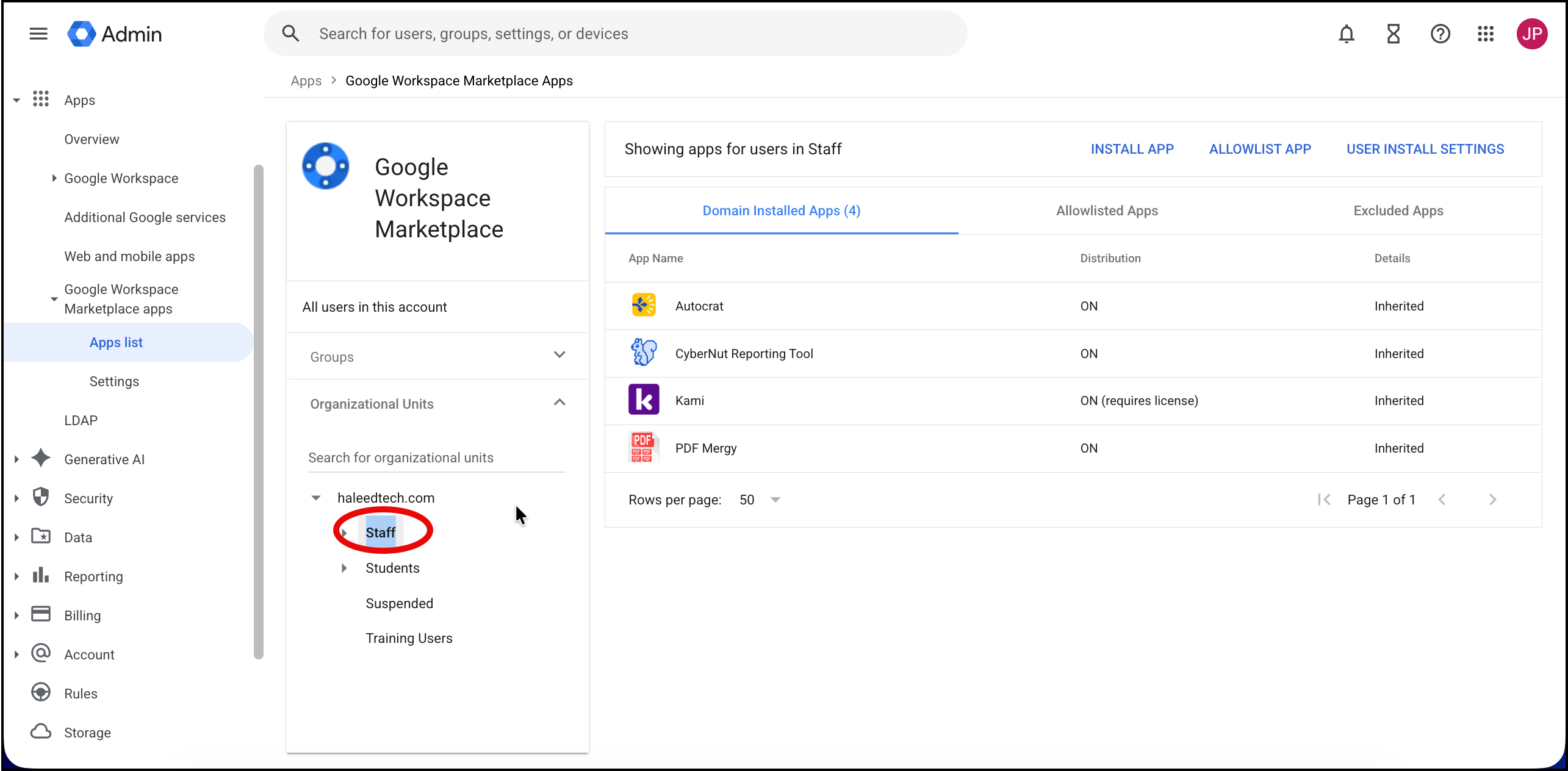
- Locate and select the user, group or OU for which you deployed the addon. (ex Staff)
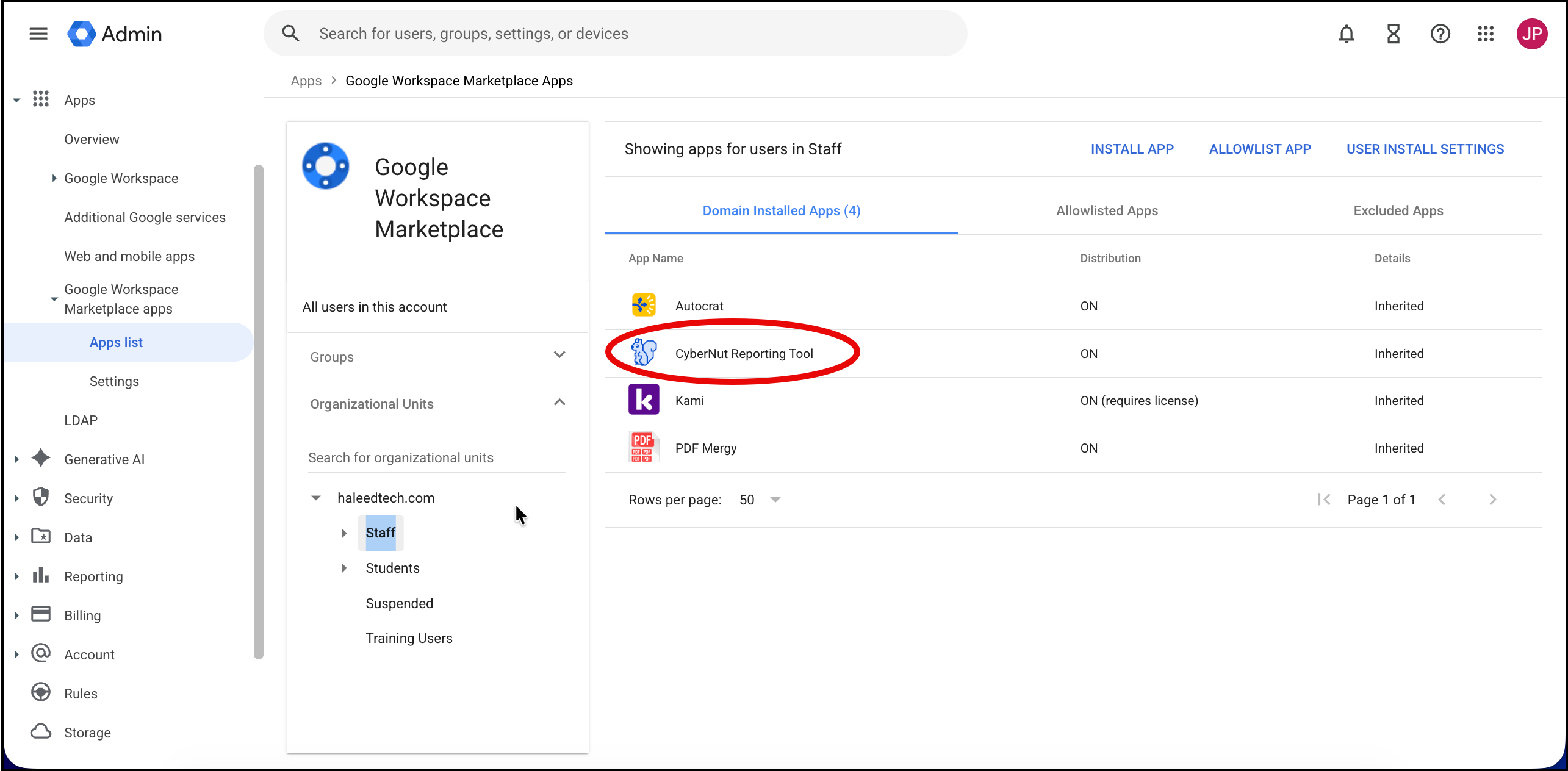
- Select CyberNut Reporting Tool.
- Select Uninstall App.
- Repeat the process for any other User, Group or OU you have have deployed the addon.
English