
Click below for a full screen walkthrough video.
▶️ Installing the CyberNut Add-on Reporting Tool for Gmail
- Log in to the Google Admin Console at https://admin.google.com/
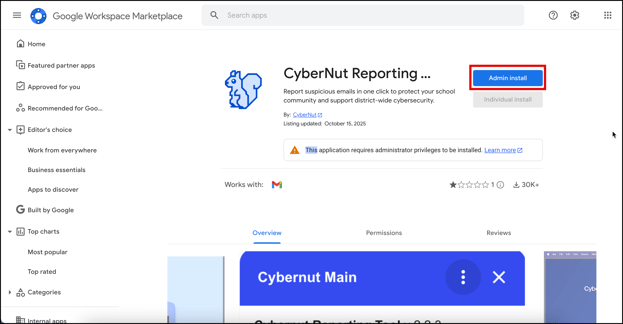
- Visit https://workspace.google.com/marketplace/app/cybernut_reporting_tool/809178081701
- Click Admin install.
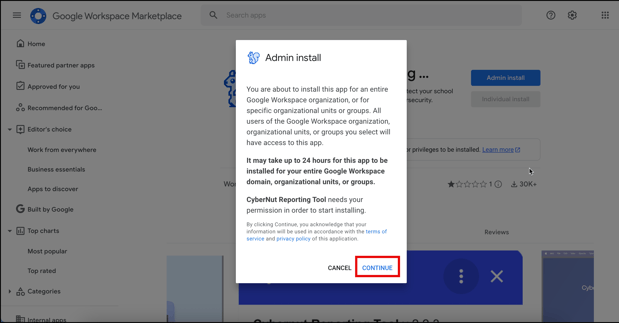
- Click Continue.
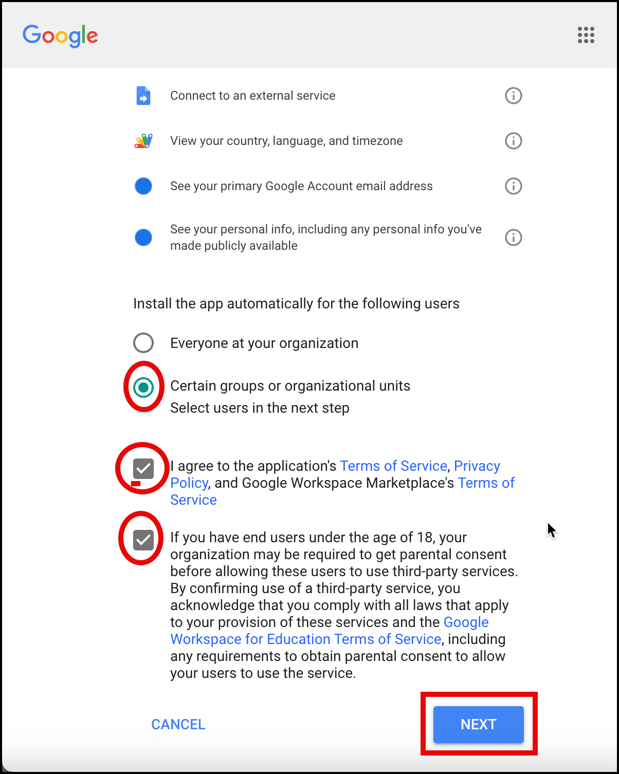
- Scroll down and either select Everyone at your organization or Certain groups or organization units, check the boxes and click Next.
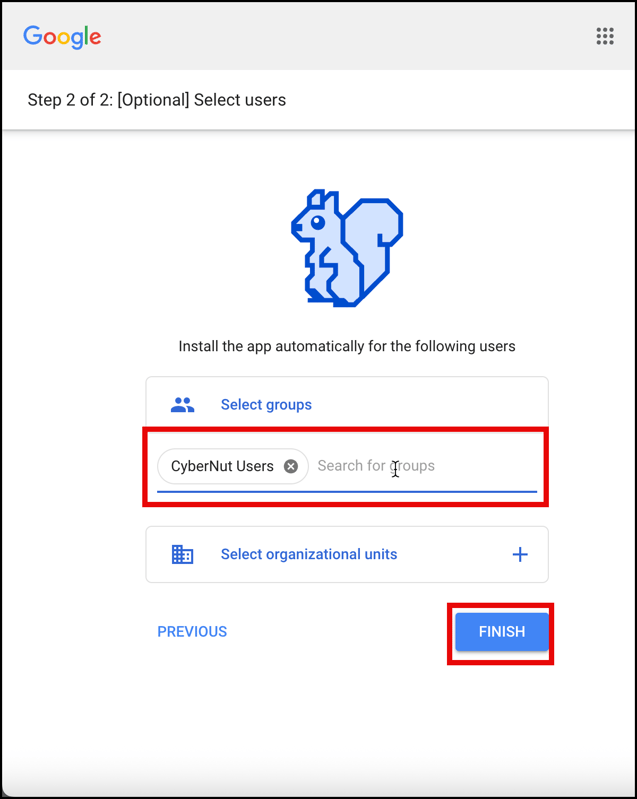
- If needed, select the groups or OUs you want to receive the add on and click Finish.
Note: Check to make sure the app is set as a Trusted App by following these directions. How do I set CyberNut as a Trusted App in Google?