
Click below for a full screen walkthrough video.
▶️ Creating the Allowlist in the Google Admin Console
- Log in to the Google Admin Console at http://admin.google.com.
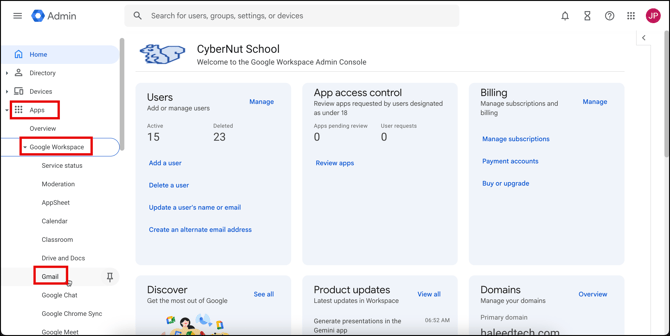
- Click on Apps>Google Workspace> Gmail.
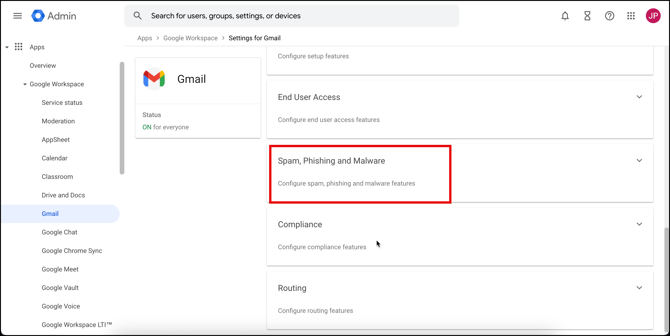
- Scroll to the Phishing, Spam Phishing, and Malware section.
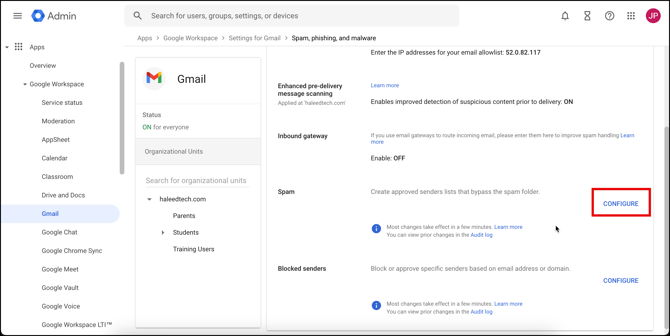
- Click on Configure in the spam section.
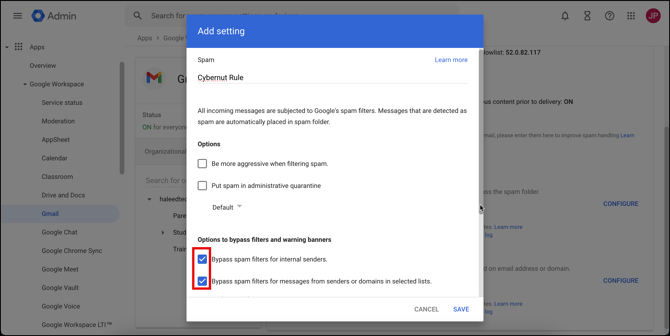
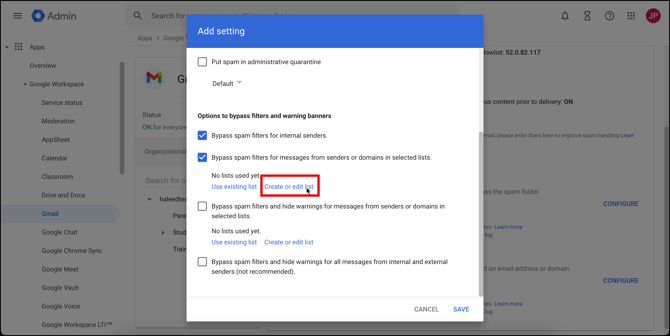
- Name the rule Cybernut Rule. Check the box for Bypass spam filters for messages from senders or domains in selected lists.
- Scroll down some and click on Create or Edit list.
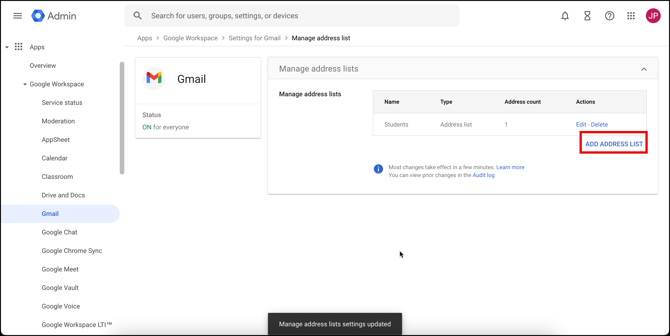
- Click on Add Address List.
- Name this address list as Cybernut Allow List.
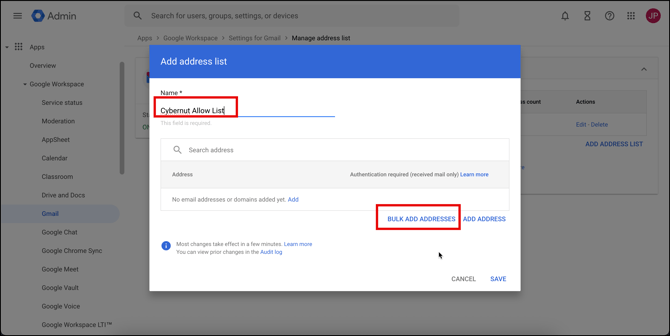
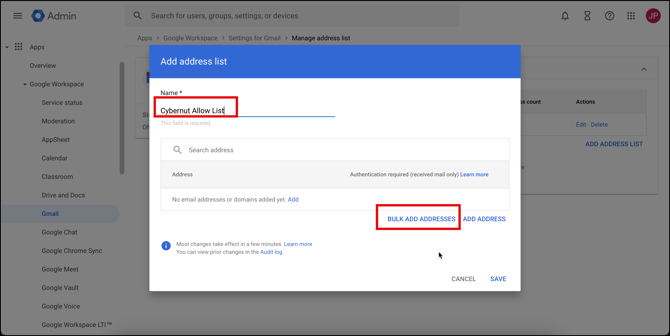
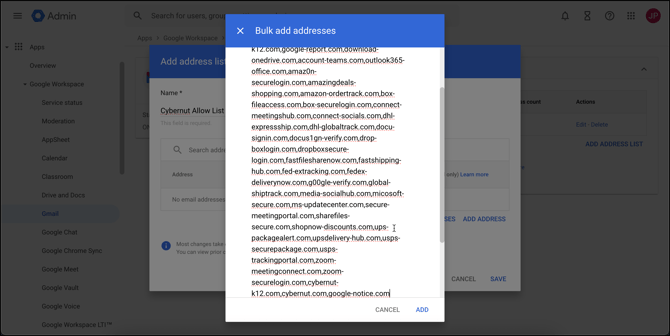
- Click on Bulk Add Addresses.
- Paste the values in the CyberNut Allowlist in the text box and click Add.
- Click Save.
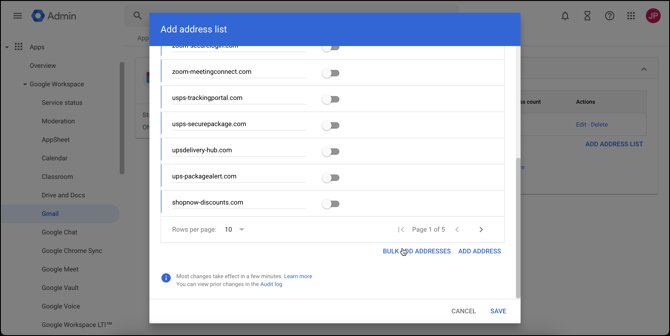
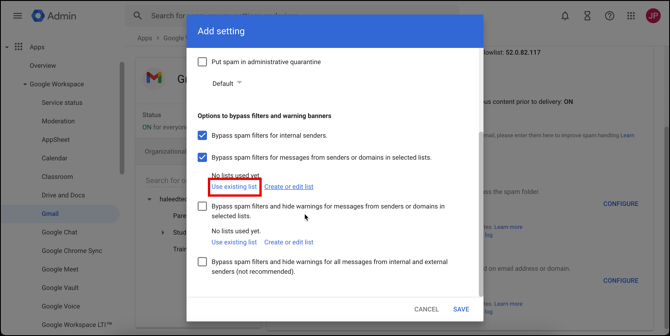
- Close the tab to return to the first tab and then and click on Use Existing List.
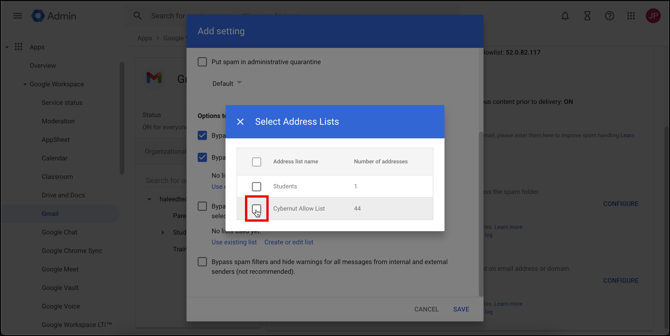
- Select the Cybernut Allow List. Click X to close.
- Check the Bypass Spam Filters and Hide Warnings for messages from senders or domains in selected lists. Click on Use Existing List.
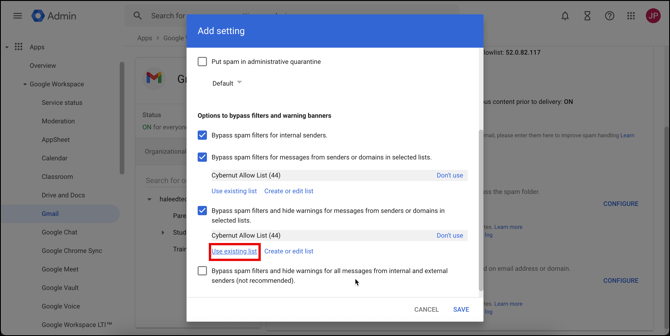
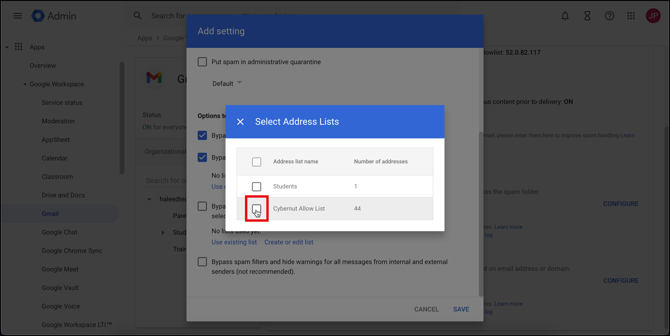
- Select the Cybernut Allow List and click X to close.
- Click Save.
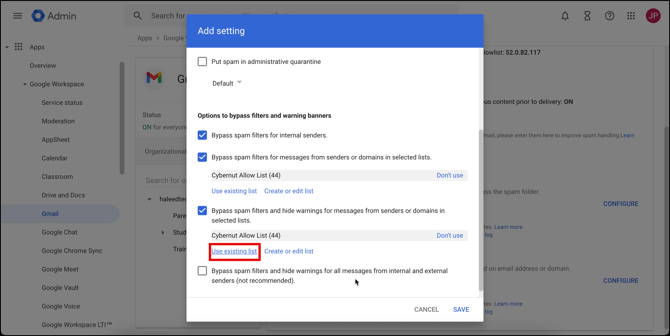
Please note that it may take up to twenty four hours for the changes to propagate. It's recommended to schedule email campaigns to begin twenty four hours from now.
Follow these directions to ensure that your users receive phishing simulation emails during their campaigns. All emails for our phishing simulations are sent from the following IP address: 34.226.146.241, 98.88.227.183, 54.85.192.239, and 52.4.20.219.
Note: Make sure to allow this IP address in any external allowlist tools you use for managing your mail flow. If the IP address 34.226.146.241, 98.88.227.183, 54.85.192.239, and 52.4.20.219 is not added to these tools, our phishing simulation emails may be blocked and will not reach your users.
- Go to Apps>Google Workspace>Gmail.
- Scroll down on the right side of your screen and click on Spam, Phishing and Malware.
- Click the pencil icon next to Email Allowlist and enter the following IP address: 34.226.146.241, 98.88.227.183, 54.85.192.239, and 52.4.20.219.
- Click Save.