
Click below for a full screen walkthrough video.
▶️ Configuring Single Sign On with Google Workspace
Part 1: Add a CyberNut Group
Step 1: Create a Google directory group in the Google Admin Console.
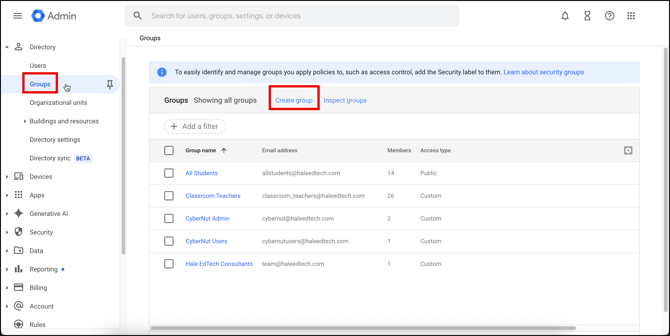
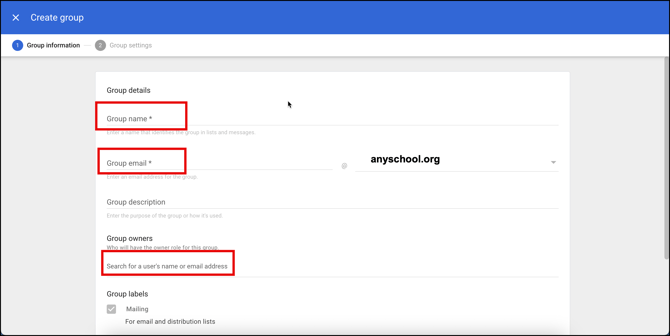
Step 2: Name the group CyberNut. Set the group email as CyberNut. Add any admins that need access to the CyberNut dashboard to the Group Owners. Click Next.
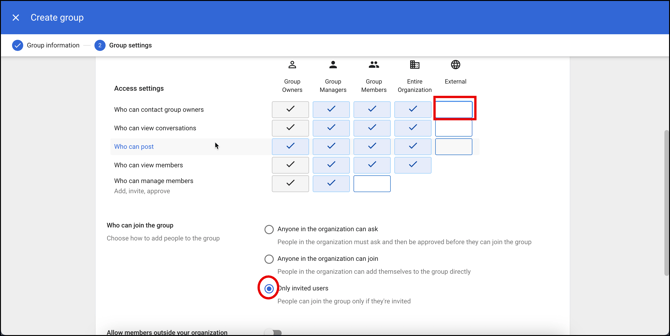
Step 3: Uncheck External, select only invited users. Then click Create Group.
Part 2: Add a Custom SAML App
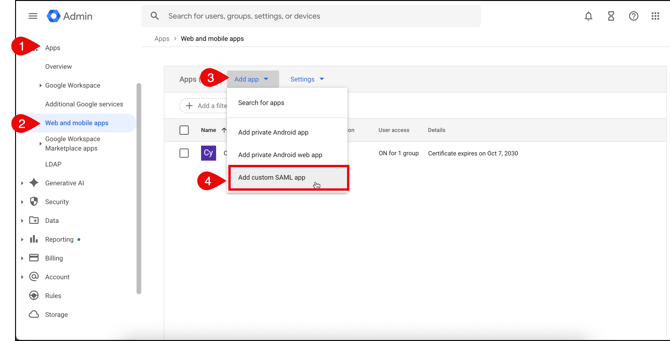
Step 1: Navigate to Apps, then Web and mobile apps. Click Add app>Add custom SAML app.
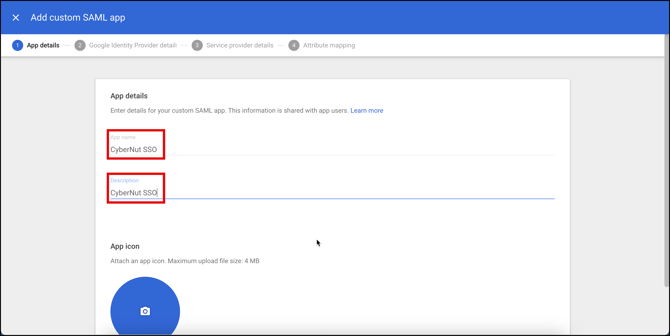
Step 2: Name the app CyberNut SSO and use the same name for the description. Click Continue.
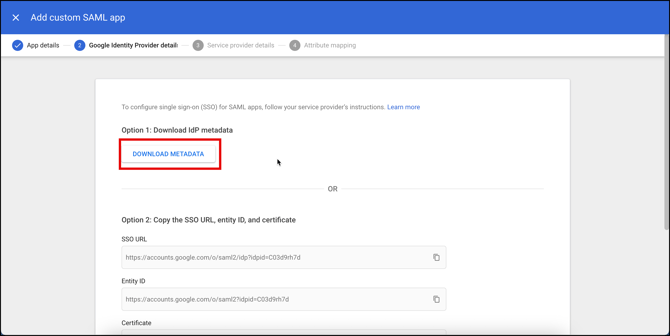
Step 3: Click DOWNLOAD METADATA and save it to use later in the CyberNut Admin Portal.
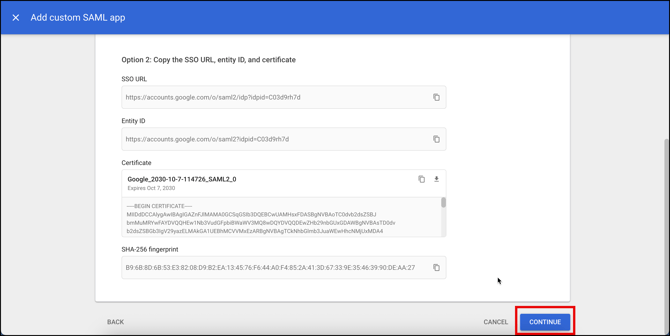
Step 4: Click Continue to proceed to the next step.
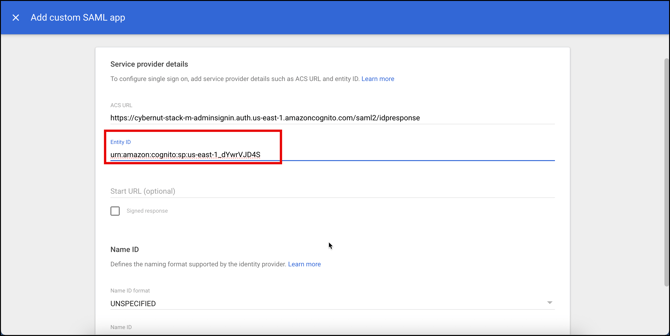
Step 5: Add the ACS URL: https://cybernut-stack-m-adminsignin.auth.us-east-1.amazoncognito.com/saml2/idpresponse
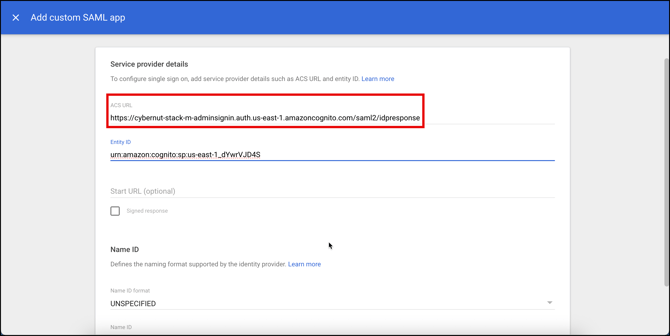
Step 6: Add the Entity ID: urn:amazon:cognito:sp:us-east-1_dYwrVJD4S
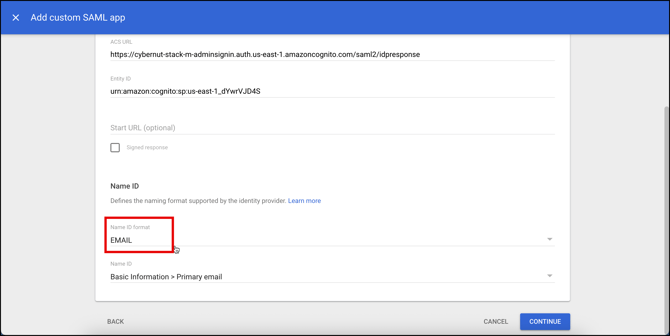
Step 7: Change the Name ID format to EMAIL. Click Continue.
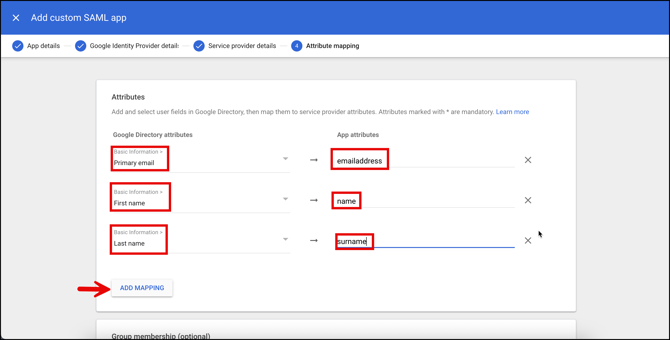
Step 8: Click Add Mapping button 3 times.. Then select the following options.
-
Google Directory attribute: Primary email
App attribute: emailaddress -
Google Directory attribute: First name
App attribute: name -
Google Directory attribute: Last name
App attribute: surname -
Then click Finish.
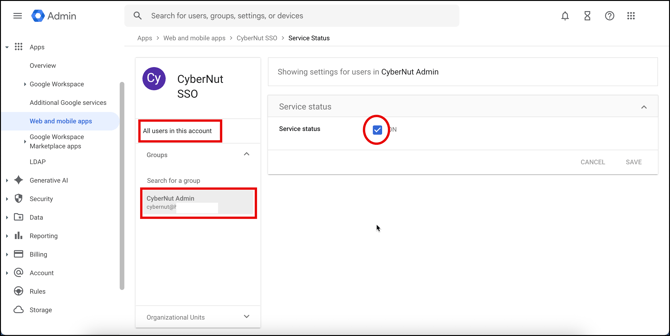
Step 9: Click on User access.
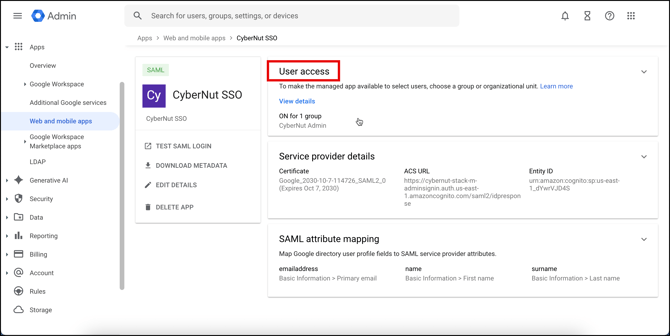
Step 10: Search for the group named Cybernut and select it.. Set the service to ON and click Save.
Step 11: Visit https://admin.cybernut.com and click Settings in the bottom left corner.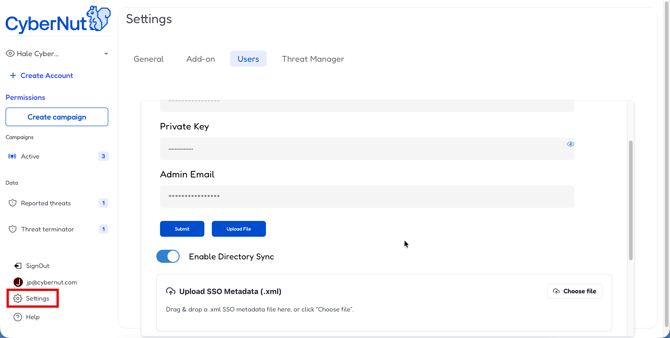
Step 12: Click the Users tab.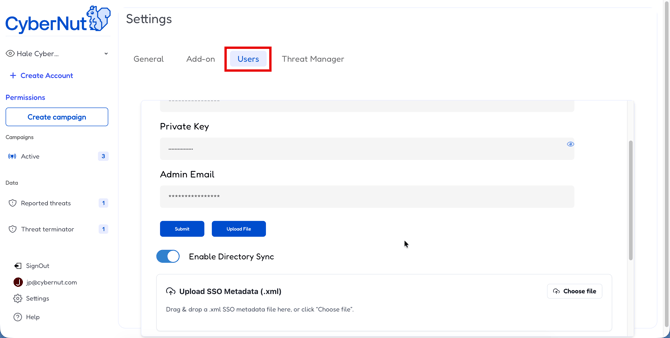
Step 13: Click Choose file and upload the SSO .xml file you downloaded earlier.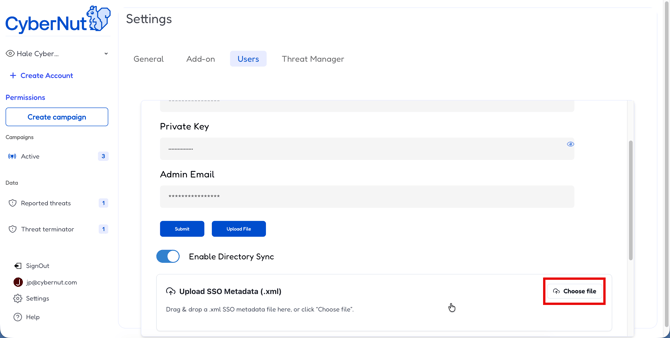
Please allow 24 hours before trying to login to the CyberNut Admin Portal using your domain name for SSO.