- Log in to the Google Admin Console at https://admin.google.com
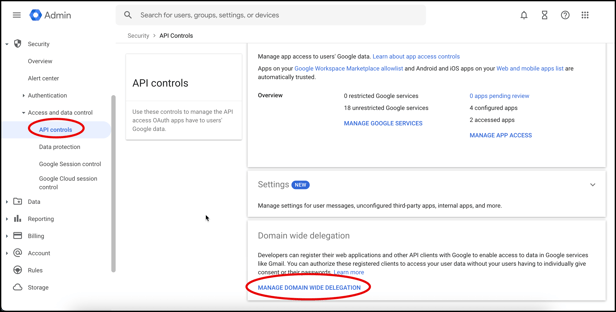
- Click Security> Access and data control> API controls. Then click Manage Domain Wide Delegation.
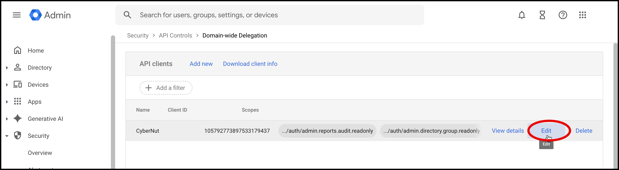
- Click Edit on the row with CyberNut listed.
- Scroll down and paste the following OAuth scopes and click Authorize and then Confirm.
https://www.googleapis.com/auth/cloud-identity.groups.readonly
English