Click below for a full screen walkthrough video.
▶️ Allowlisting in Google Drive and Docs
Note: This feature is only available in Education Standard and Education Plus and is not needed by most schools.
This walkthrough demonstrates how to configure URL allowlisting in Google Drive and Docs to enable the CyberNut add-on. Users navigate through the Admin console to Apps, then Drive and Docs settings, where they access the URL import controls. The process involves selecting a restricted allowlist option and manually adding seven specific CyberNut API endpoints before saving the configuration.
1. Log in to the Google Admin Console at http://admin.google.com
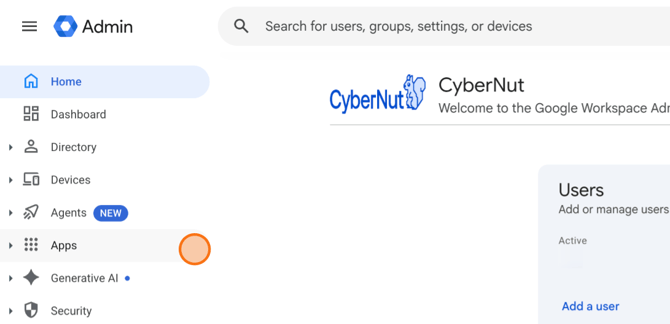
2. Start by clicking "Apps" from the Admin console menu.
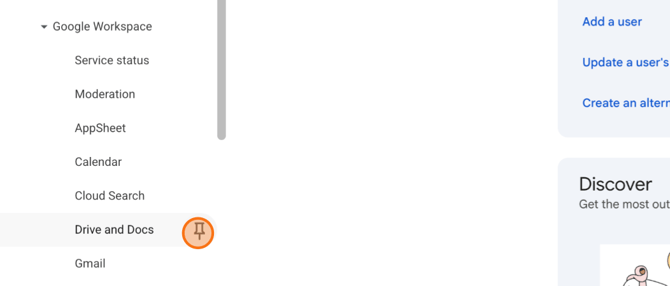
3. From the Apps menu, select "Drive and Docs" — that's where the settings we need live.
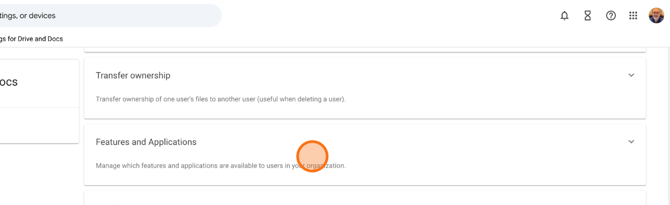
4. Open "Features and Applications" to access the URL controls.
5. Click "Importing and fetching from URLs" — this is where you tell Google which external URLs are safe to use.
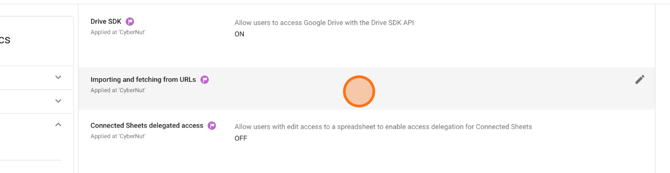
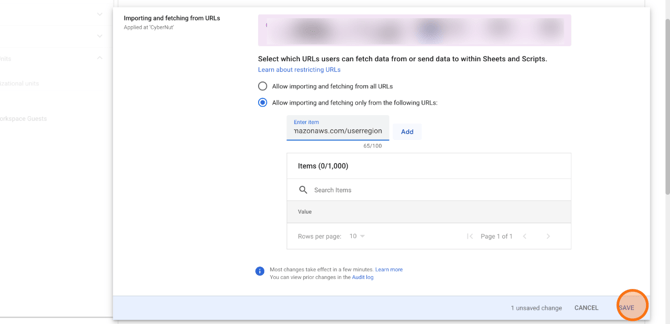
6. Select "Allow importing and fetching only from the following URLs" — this keeps things locked down to just what CyberNut needs.
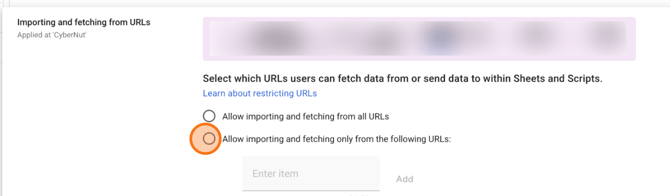
7. Click the "Enter item" field and add each URL below one at a time — hit Add after each one. (Add the URL for all regions and the appropriate specific region.)
All Regions
https://gmail.googleapis.com/gmail/v1/users/me/messages?q=in:inbox
North America
https://44dgkpf1cb.execute-api.us-east-1.amazonaws.com/userregion
https://k3g591je54.execute-api.us-east-1.amazonaws.com/getemail
https://560ef3pt4j.execute-api.us-east-1.amazonaws.com/eventdispatcher
https://44dgkpf1cb.execute-api.us-east-1.amazonaws.com/admindomainsgoogle
https://560ef3pt4j.execute-api.us-east-1.amazonaws.com/microsoftaddinactivitynew
https://44dgkpf1cb.execute-api.us-east-1.amazonaws.com/campaignversion
Europe
https://dej7cfclm9.execute-api.eu-central-1.amazonaws.com/getemail
https://p3shdnpenc.execute-api.eu-central-1.amazonaws.com/eventdispatcher
https://telmnzu55i.execute-api.eu-central-1.amazonaws.com/admindomainsgoogle
https://telmnzu55i.execute-api.eu-central-1.amazonaws.com/campaignversion
Asia
https://b4nzi83qm2.execute-api.ap-southeast-1.amazonaws.com/getemail
https://vahgicl5qh.execute-api.ap-southeast-1.amazonaws.com/eventdispatcher
https://vsqdkxcc8d.execute-api.ap-southeast-1.amazonaws.com/admindomainsgoogle
https://vsqdkxcc8d.execute-api.ap-southeast-1.amazonaws.com/campaignversion
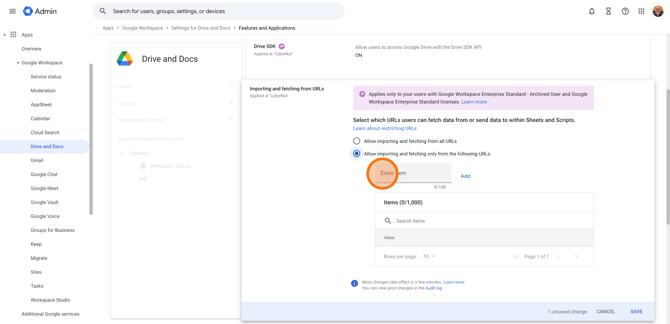
8. All done — click Save to apply your changes and you're set!