- Log in to the Google Admin Console at http://admin.google.com
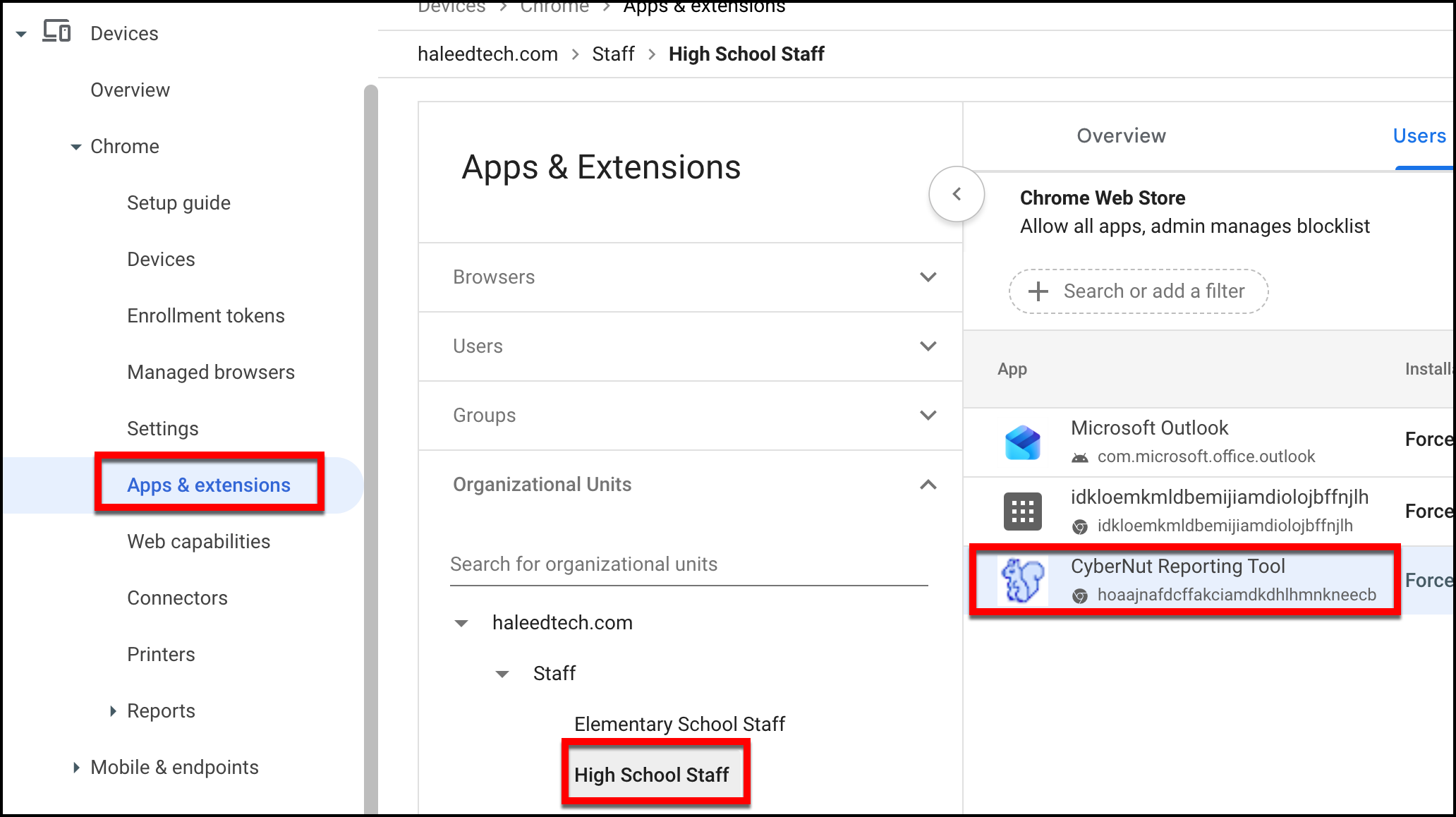
- Select Devices>Chrome>Apps & extensions.
- Select the Group or OU that you originally assigned the extension (for that user(s)) then click CyberNut Reporting Tool. (ex. High School Staff)
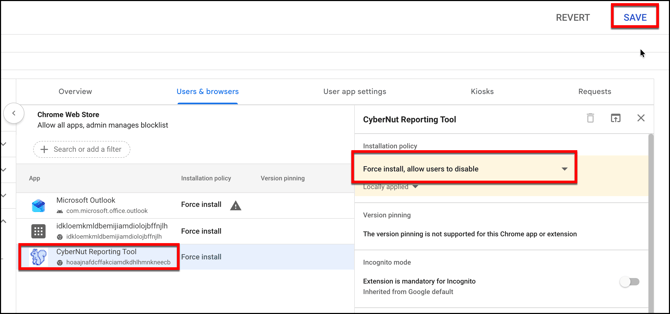
- Change the Installation policy to Force install, allow users to disable. Then click Save.
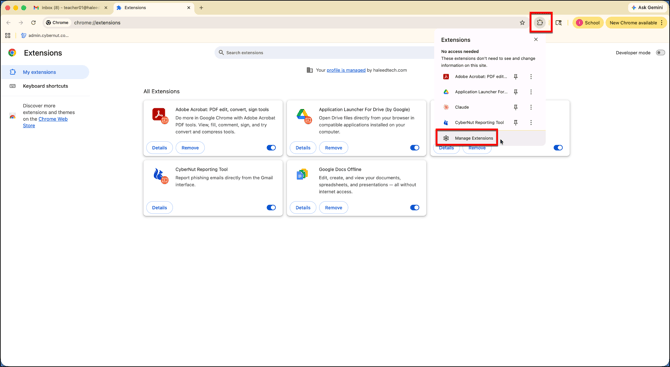
- Ask the end user to select the Extensions icon and then Manage Extensions.
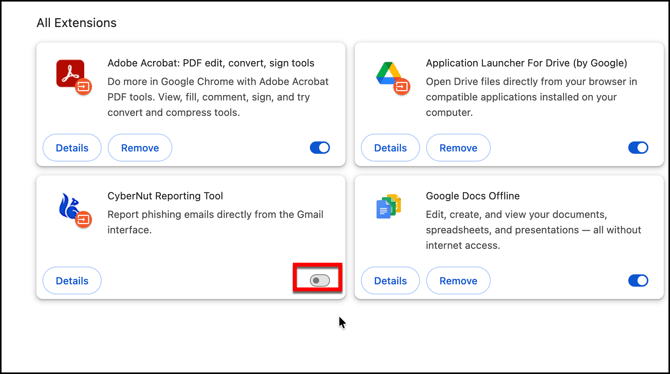
- Click the toggle button to turn off the extension.
English